
 Calls
Calls
 Phone numbers
 SMS
SMS
 Business Phone System
 CRM
CRM
 Call Tracking
 eSIM for Internet
 AI agent
 AI Speech Analytics
 Click to Call
 Video conferencing
 VoIP for Business
 Become a partner
 Integrations
 For whom
 Setup guides
 FAQ
FAQ
 Online chat
 Contact us
 Blog
Blog

What is the Zadarma AI Voice Agent?
Not just a voice bot, but an intelligent conversational partner powered by an LLM
The Zadarma AI Voice Agent is a virtual assistant that answers your customers’ calls with a natural, pleasant voice and engages in conversations, relying on artificial intelligence models and your knowledge base.
It understands natural speech, clarifies details, provides explanations, can ask follow-up questions, and, if necessary, transfers the call to a live agent or to the appropriate department of your PBX.
How to set up an AI voice vgent — step-by-step instructions.
What the Zadarma voice bot can do
Main capabilities of the AI agent
The Zadarma AI Voice Agent helps automate call reception and reduce the workload on your team.

It greets the caller, identifies the purpose of the call, and routes it further — to the appropriate department, a specific employee, or another PBX scenario.

It answers common questions and provides basic consultations about your services, pricing, delivery, and more.

It uses prepared materials: FAQs, instructions, articles, service descriptions, and promotions. The better the knowledge base, the more accurate and helpful the responses.

If the question is complex or the customer requests a “live agent”, the AI agent transfers the call to an operator, sales department, or support team.

The agent can provide information about products and promotions, handle requests, and leave information for the team, even if the office is closed or all employees are busy.

Create different personalities: a calm support agent, a more energetic sales agent, a receptionist for the company’s main number, etc.
Languages and voices
Communicates in the language of your client
The AI voice agent can communicate with clients in 20+ languages available. For each agent, you select a primary language and, if necessary, can add additional languages.

English
Spanish
French
German
Ukrainian
Russian
Polish
Portuguese
Japanese
Korean
Turkish
And others
Voices and sound
- dozens of voices available;
- select male or female voice;
- background noise settings (office, street, etc.) for more natural sound;
- speaking rate adjustment.
This way, you can match the agent’s voice to your brand style.


AI models and response flexibility
Choose the level of "intelligence" according to your tasks
The voice bot uses LLM models (models from the OpenAI family).
In the settings, you choose the desired model and level of creativity:
- A range of models to choose from.
- Temperature slider — the lower the value, the stricter and more precise the answers; the higher the value, the freer and more conversational the style.
The agent’s per-minute cost depends on the selected model and language.

Knowledge base and AI agent training
Train the agent with knowledge about your business
In the “Knowledge Base” section, you create collections of materials that your voice agents use during conversations:
- add documents (PDFs, instructions, presentations);
- provide links to website sections;
- create text articles and FAQs directly in the interface.
Each knowledge base can be linked to specific agents. For example:
- general product knowledge base;
- promotions and special offers knowledge base;
- technical support knowledge base.
The voice bot relies on this information when answering customer questions — ensuring that the dialogue remains accurate and aligned with your current information.

Managing the agent’s personality and behavior
Set up the agent’s character and dialogue scenarios
In the agent settings, you configure:
- Greeting — the first message the caller hears;
- System prompt — a detailed description of the agent’s role, tasks, communication style, and limitations;
- Transfer rules — when and where to transfer the call (to a human, another agent, or a PBX scenario);
- Limits — how many simultaneous calls the agent can handle, maximum call duration, daily call limits;
- Timeouts — pause after silence, waiting time after repeated questions, and other parameters for ending the conversation.
This allows you to fine-tune when the agent resolves issues independently and when it hands the conversation over to your team.

Call analytics and history
Full statistics and call transcripts
AI Studio provides a detailed history of all calls handled by your AI agents:
- number of calls and active dialogues over a selected period;
- average call duration;
- total and average costs;
- list of the most active agents.
For each call, you can:
- view the dialogue transcript;
- analyze the questions most frequently asked by clients;
- identify where the knowledge base should be updated or agent settings adjusted.
This allows you to continuously improve service quality and see the real impact of implementing artificial intelligence.


-
Set the widget name (for example, “Online Consultation”)

-
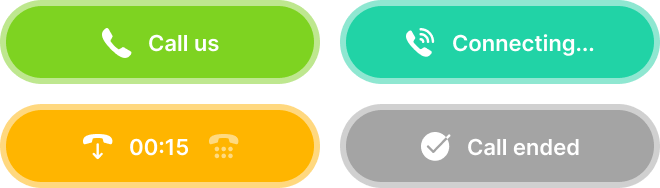
Edit the button text (Call us, Contact an agent, etc.)

-
Specify the target call duration

-
Add text for browsers that do not support the widget

-
Enable the DTMF keypad if needed
