
 Calls
Calls
 Phone numbers
 SMS
SMS
 Business Phone System
 CRM
CRM
 eSIM for Internet
 AI agent
 AI Speech Analytics
 Click to Call
 Call Tracking
 VoIP for Business
 Become a partner
 Integrations
 For whom
 Setup guides
 FAQ
FAQ
 Online chat
 Contact us
 Blog
Blog
1. Basic setup
Select type of WAN connection according to the settings of your network
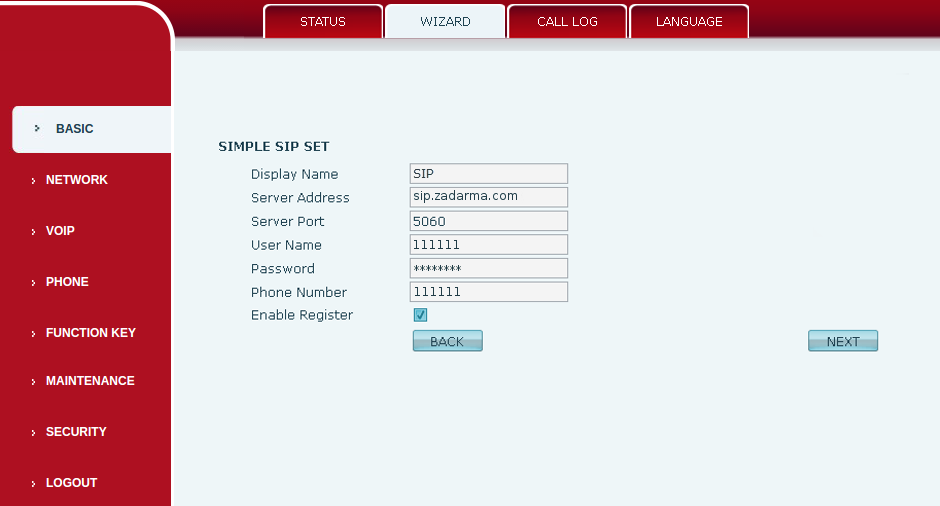
2. Quick setup of SIP
Displayed name: SIP
Server address: sip.zadarma.com
Authentication name: Your sip number (for example 111111) from personal account
Password: Your password of sip number from "SIP Connection" in personal account.
SIP user: Your sip number (for example 111111) from personal account
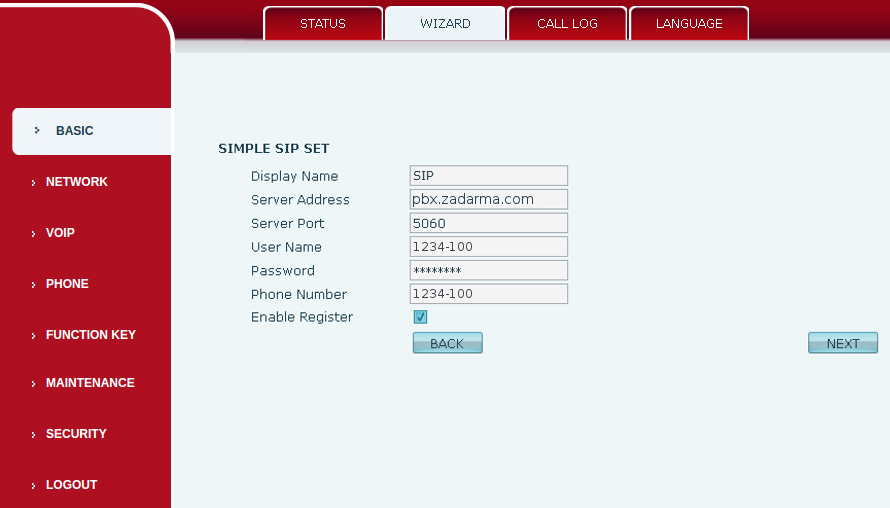
Server address: pbx.zadarma.com
Authentication name: Your internal PBX number (for example 1234-100) from personal account
Password: Your password of internal PBX number from personal account
SIP User: Your internal PBX number (for example 1234-100) from personal account
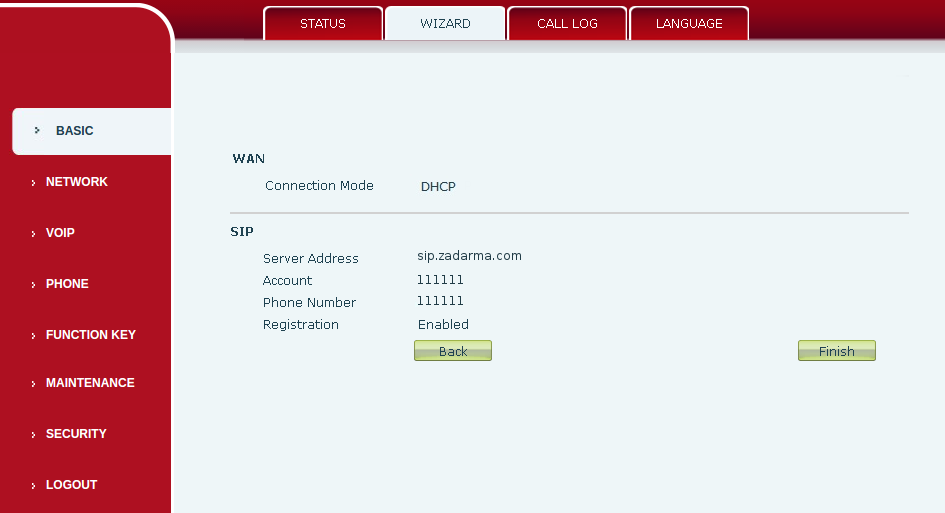
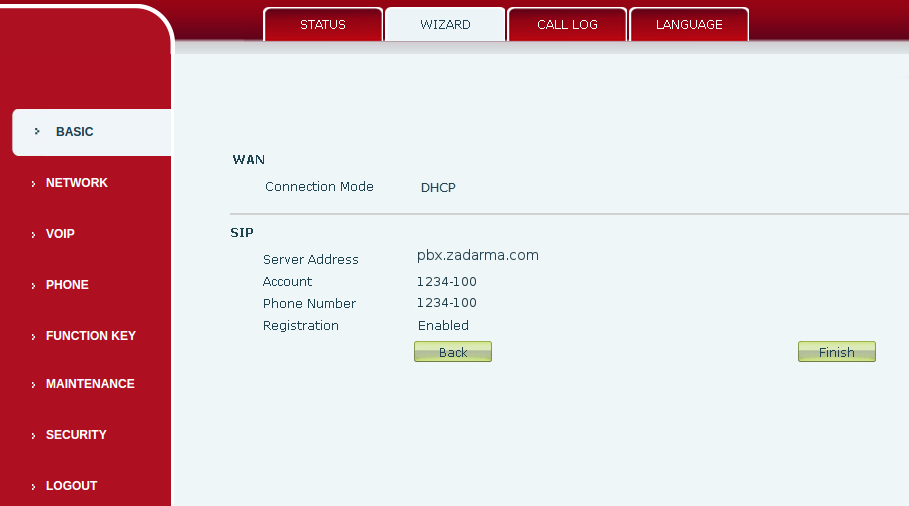
3. End of setup.
4. Under "VoIP", under the tab "SIP"
Status of connection = Registered
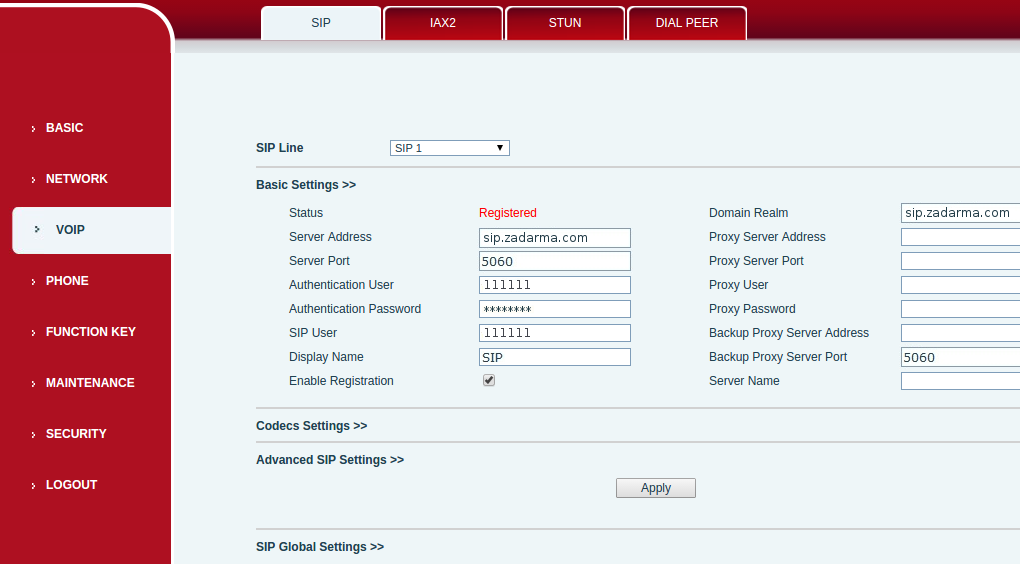
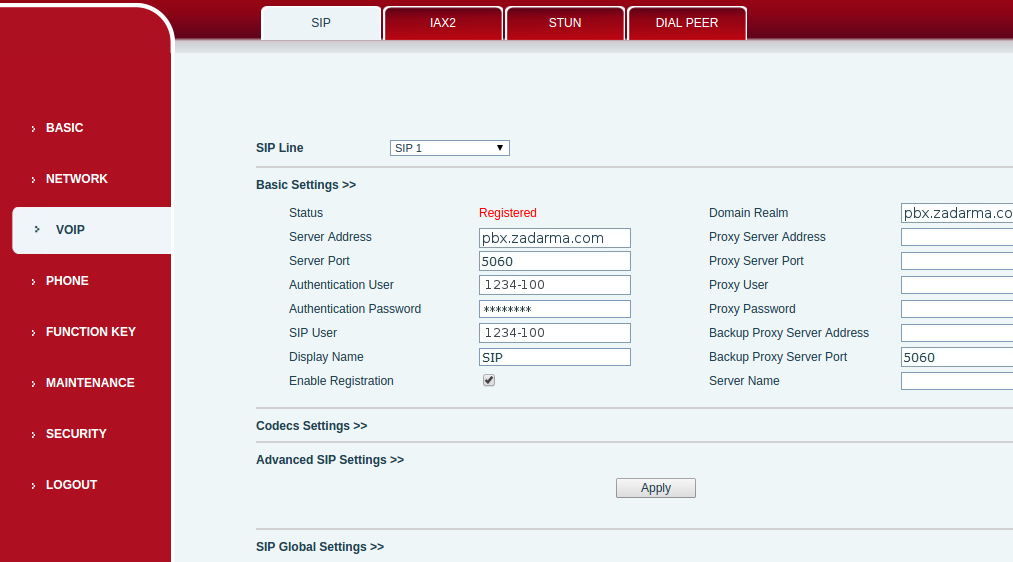
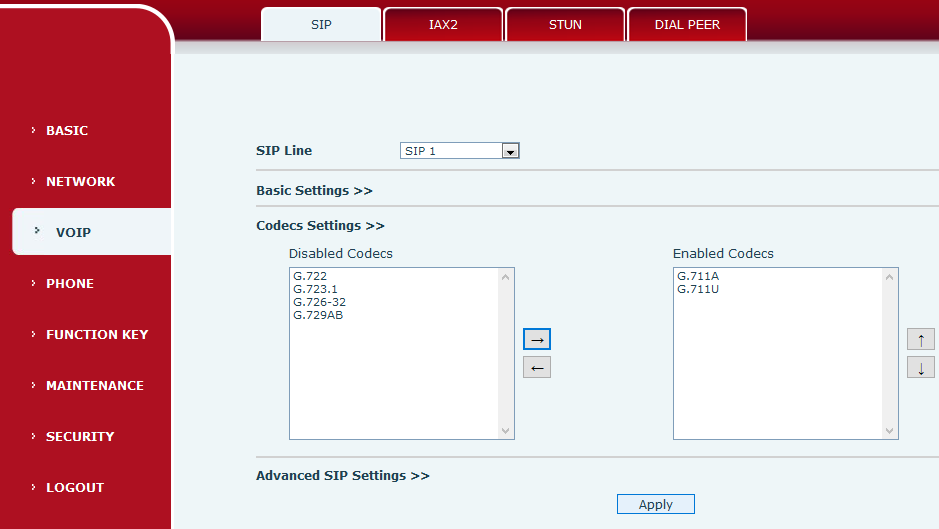
5. Submenu "Codecs"
Here you can select codecs
Enabling encryption
1. Go to the Account tab - SIP 1, in SIP server 1 Register Port field enter 5061, choose TLS for Transportation Protocol
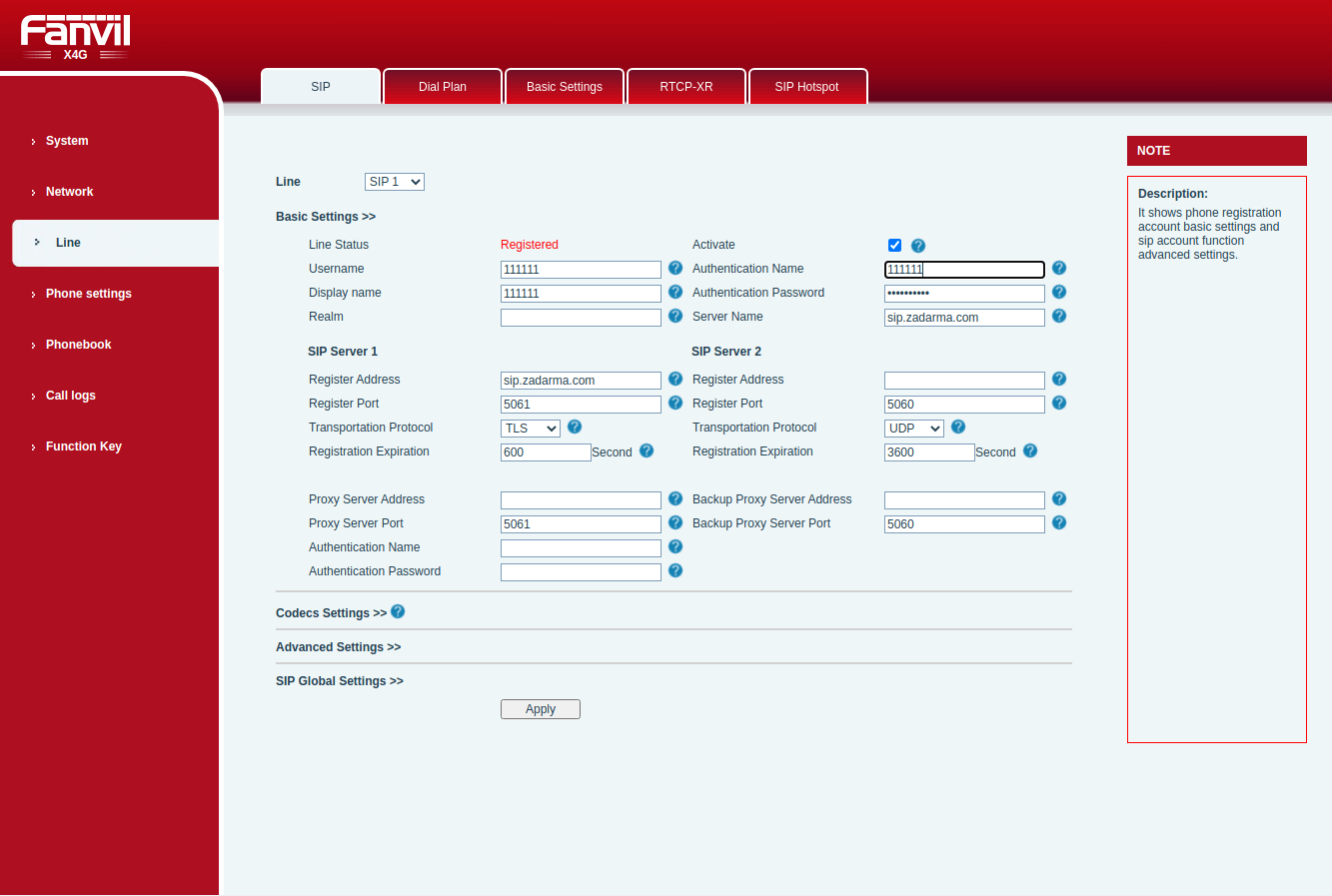
2. In the extended settings, in the RTP encryption field choose Compulsory, in the TLS version field choose TLS 1.2
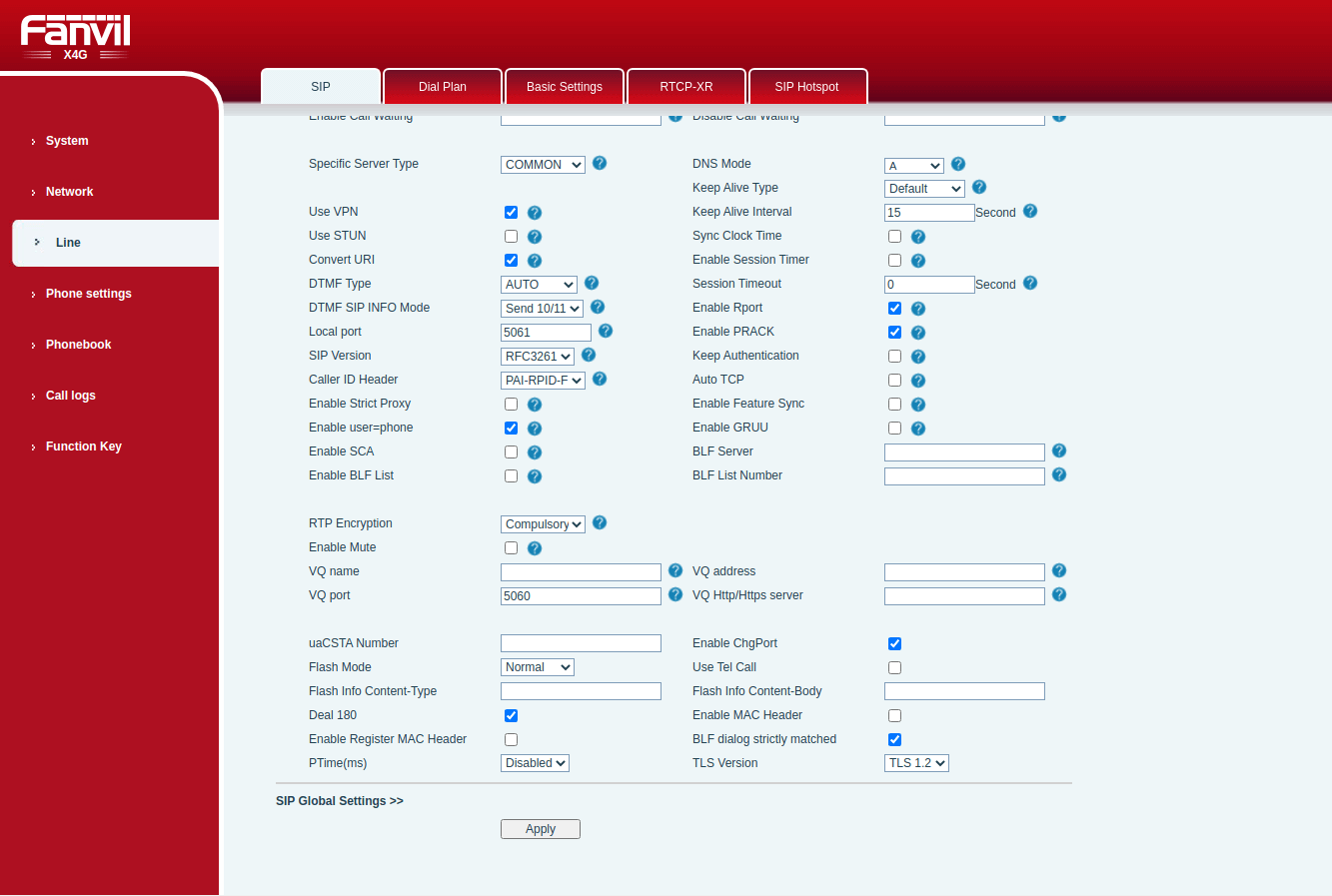
Apply settings
BLF settings
In the Web interface of your phone go to Key features - Key features tab - DSS Key 1-1 type Memory key, enter the name in name field that will be displayed, in value set the extension number that you want to track in 1234-100 format, type BLF/NEW CALL, in account choose your SIP account that is set for Zadarma PBX, interception number 1234-100.
Specifications: this feature only tracks incoming calls, there will be no notifications for outgoing calls.