
 Calls
Calls
 Phone numbers
 SMS
SMS
 Business Phone System
 CRM
CRM
 eSIM for Internet
 AI agent
 AI Speech Analytics
 Click to Call
 Call Tracking
 VoIP for Business
 Become a partner
 Integrations
 For whom
 Setup guides
 FAQ
FAQ
 Online chat
 Contact us
 Blog
Blog
To enter the gateway's web interface enter the device's IP-address in the URL bar. Device's IP address can be attained by dialing ****110#
In the top right top corner of the page, change mode to Advanced
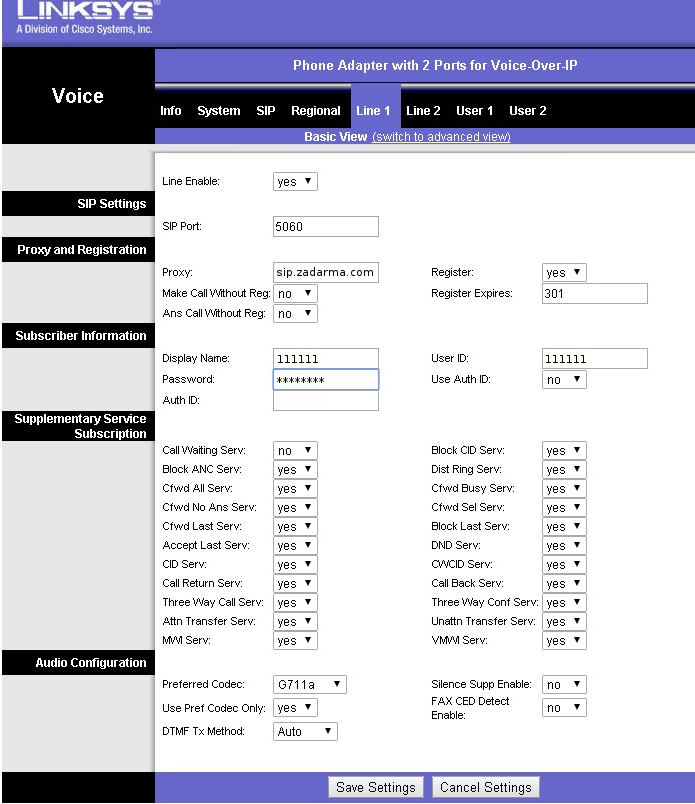
1. Open Line1 and enter the following information:
Proxy: sip.zadarma.com
Display Name: Your sip number (for example 111111) from personal account
UserID: Your sip number (for example 111111) from personal account
Password: Your password of sip number from "SIP Connection" in personal account.
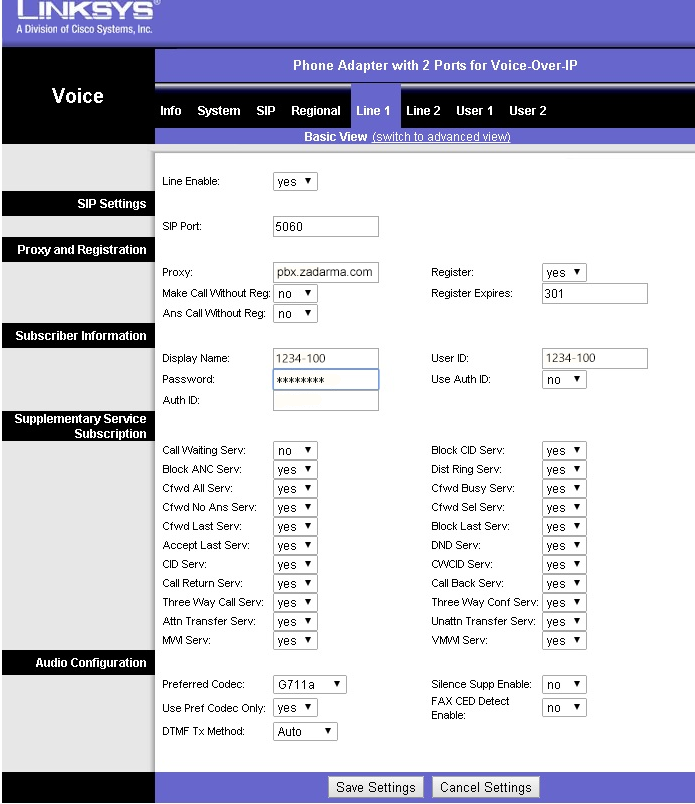
Proxy: pbx.zadarma.com
Display Name: Your internal PBX number (for example 1234-100) from personal account
UserID: Your internal PBX number (for example 1234-100) from personal account
Password: Your password of internal PBX number from personal account
2. If you encounter problems with incoming calls, open "SIP", (switch to advanced mode) and switch on STUN server.
STUN Enable: yes
STUN Server: stun.zadarma.com
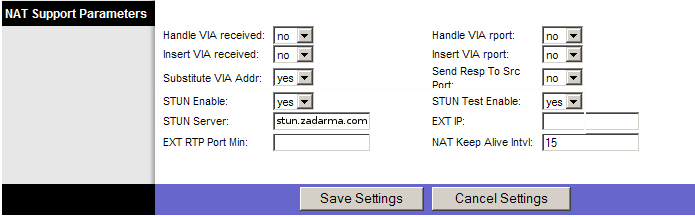
To save settings click Save Settings