
 Calls
Calls
 Phone numbers
 SMS
SMS
 Business Phone System
 CRM
CRM
 eSIM for Internet
 AI agent
 AI Speech Analytics
 Click to Call
 Call Tracking
 VoIP for Business
 Become a partner
 Integrations
 For whom
 Setup guides
 FAQ
FAQ
 Online chat
 Contact us
 Blog
Blog
1. Download Linphone here and install it.
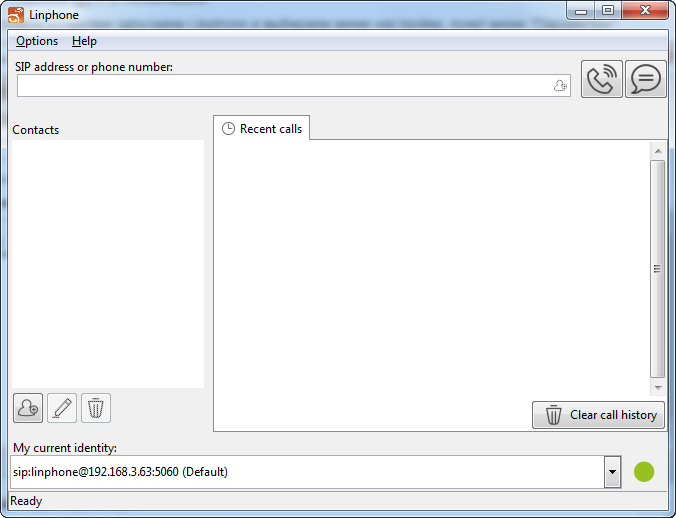
2. After successful installation launch Linphone and select "Options" - "Parameters".
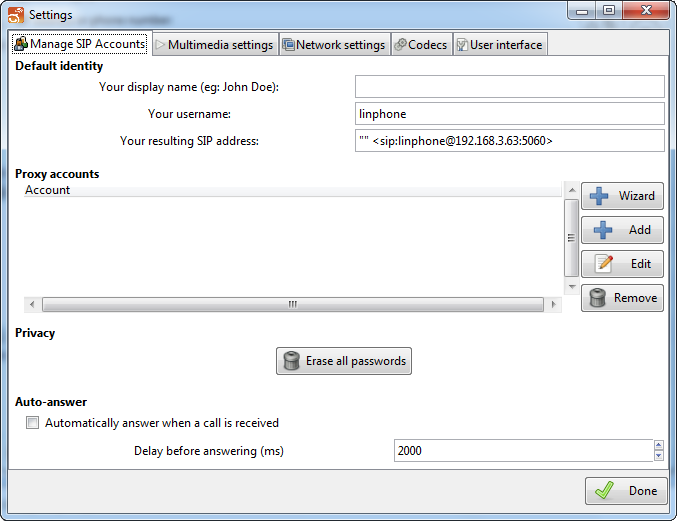
3. Click "Add" in the "Manage SIP account" tab
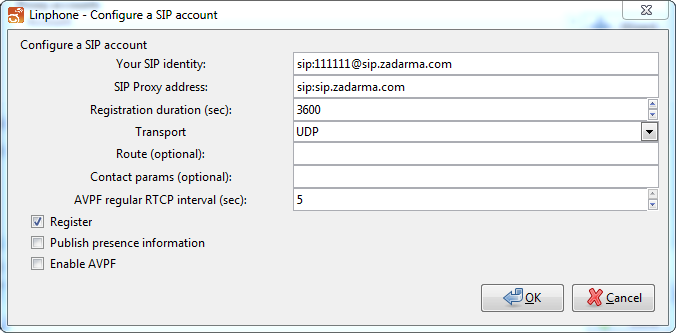
4. Enter the following information and click "OK".
SIP identifier: 111111@sip.zadarma.com (replace 111111 with your sip number from the personal account)
SIP-proxy address: sip.zadarma.com
SIP identifier: 1234-100@pbx.zadarma.com ( replace 1234-100 with your PBX extension number from your personal account)
SIP-proxy address: pbx.zadarma.com
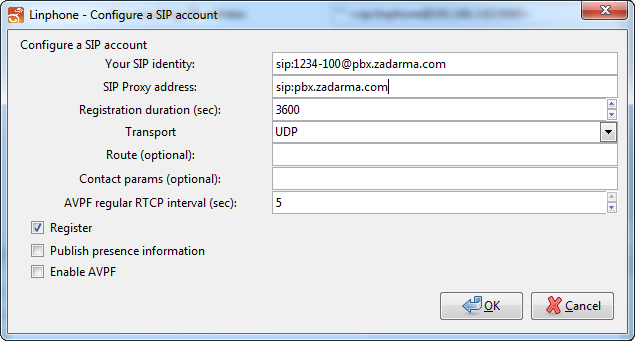
Enter your SIP number password from the personal account and click "OK"
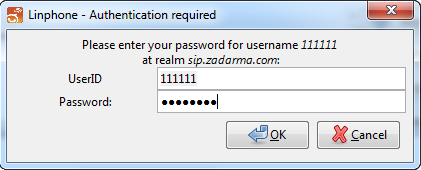
Password: Your PBX extension number password from the personal account
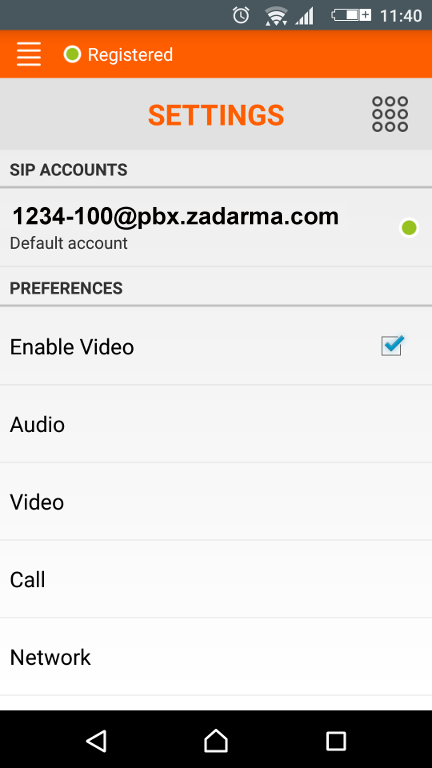
5. Click "Done".
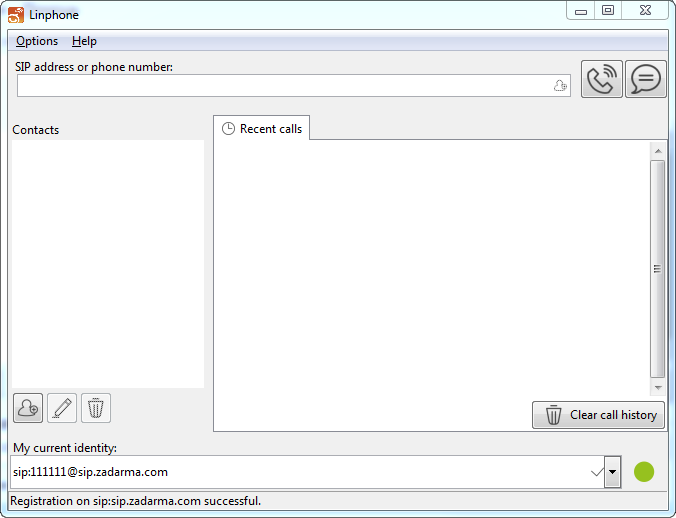
6. If the settings were entered correctly, "Registration is successful" message will appear at the bottom of the screen.