
 Calls
Calls
 Phone numbers
 SMS
SMS
 Business Phone System
 CRM
CRM
 eSIM for Internet
 AI agent
 AI Speech Analytics
 Click to Call
 Call Tracking
 VoIP for Business
 Become a partner
 Integrations
 For whom
 Setup guides
 FAQ
FAQ
 Online chat
 Contact us
 Blog
Blog
eSIM is the result of the evolution of the classic SIM card, the chip has been moved into the device itself, and a physical SIM card is no longer required to change the operator. All you have to do to connect is specify the provider's settings. If previously one needed to find a local provider for accessible and stable internet connection when arriving in a new country, eSIM technology has significantly simplified the process.
Zadarma's eSIM allows you to connect to the internet in 150+ countries worldwide at affordable rates. Set it up once before your trip, and enjoy hassle-free internet access during your travels.
How to set it up?
In Zadarma personal account go to Services - eSIM.
First, check whether your device supports eSIM, then choose a country or a region where you will need the Internet, for instance, Asia or Latin America.
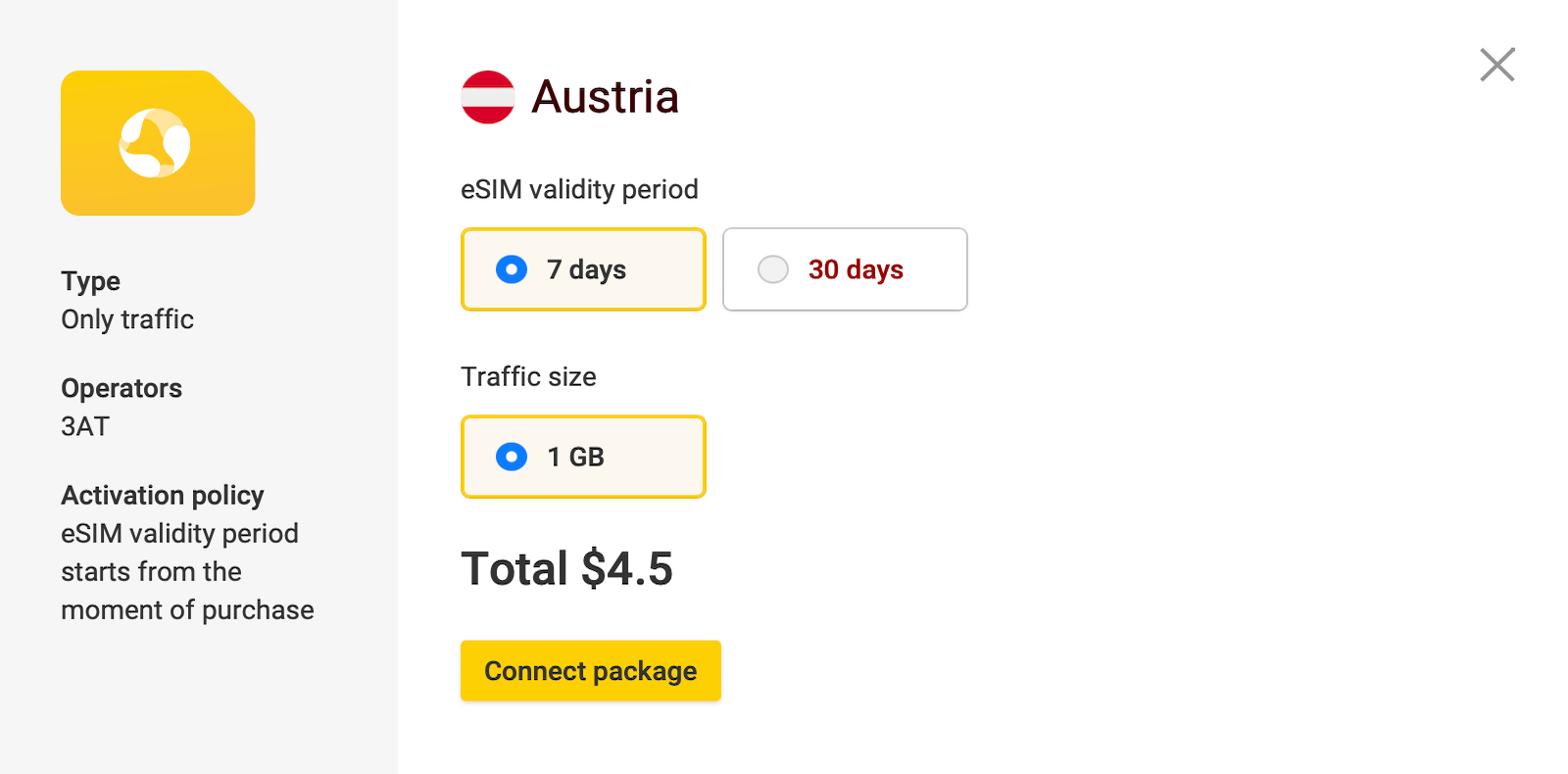
Then choose the eSIM duration (duration of your trip) and traffic size you require, click "Connect Package" and "eSIM installation", open camera and scan the QR code.
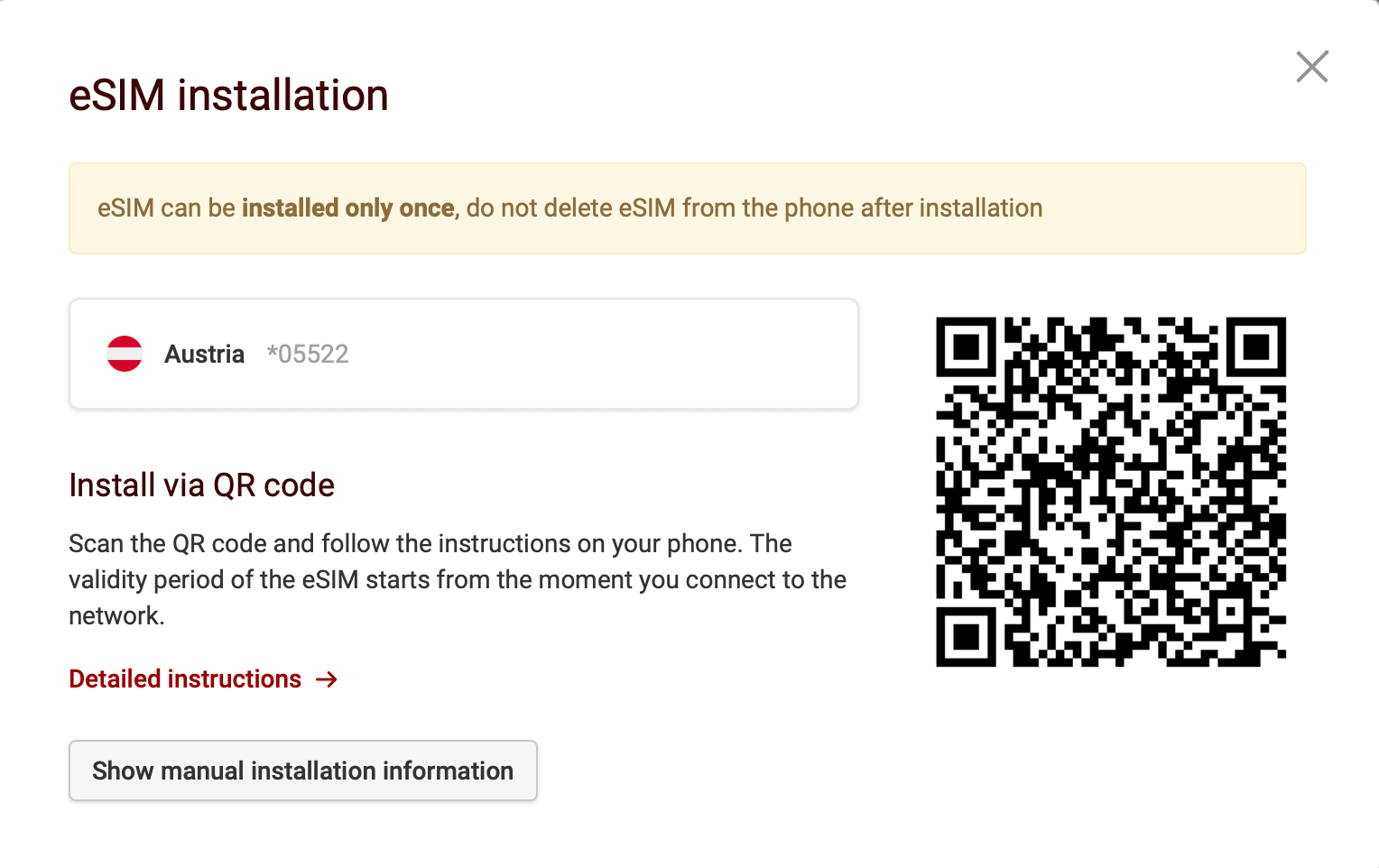
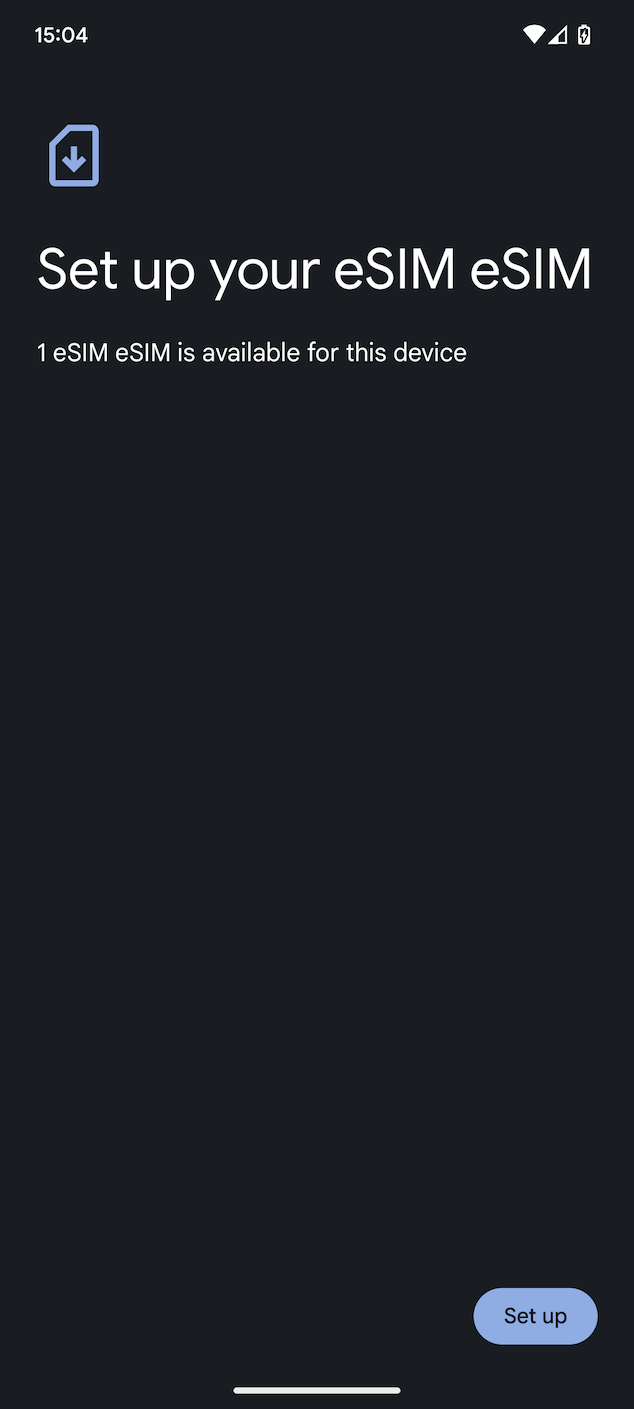
Open the camera on your smartphone or tablet, point it at the QR code, and then tap "Set Up".
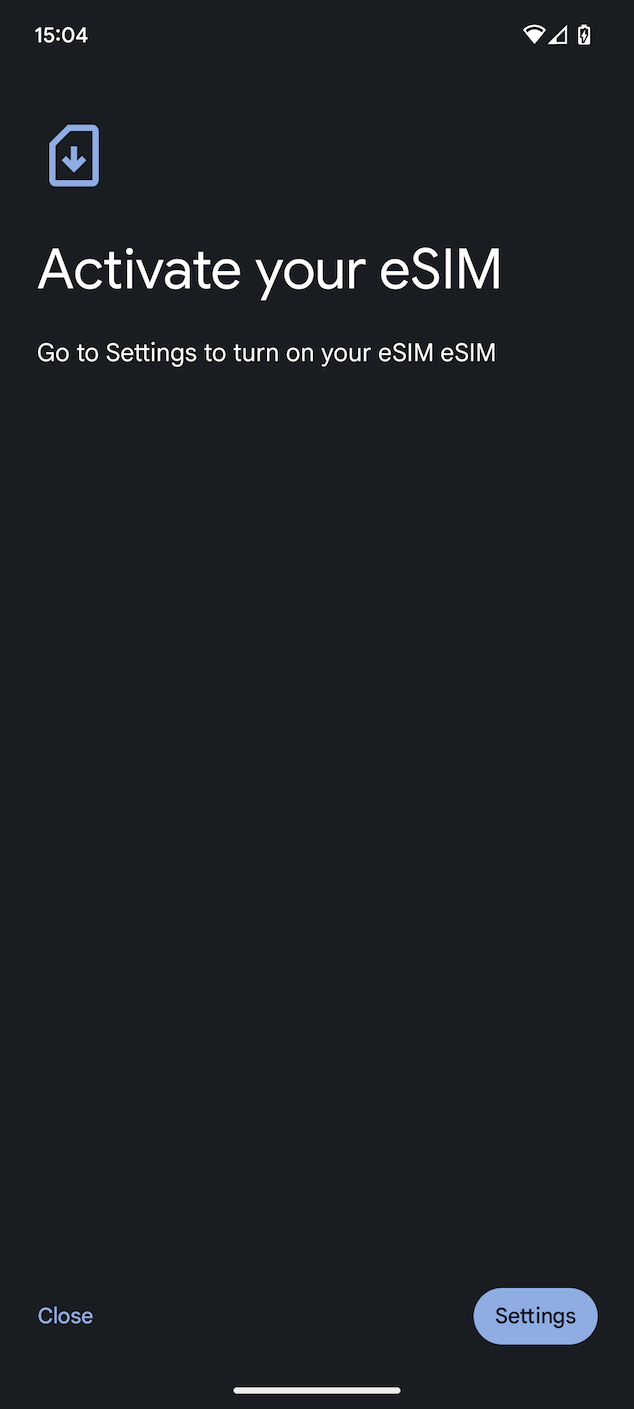
In the next step, tap “Set Up” to access the SIM card settings.
Select the new eSIM and activate it.
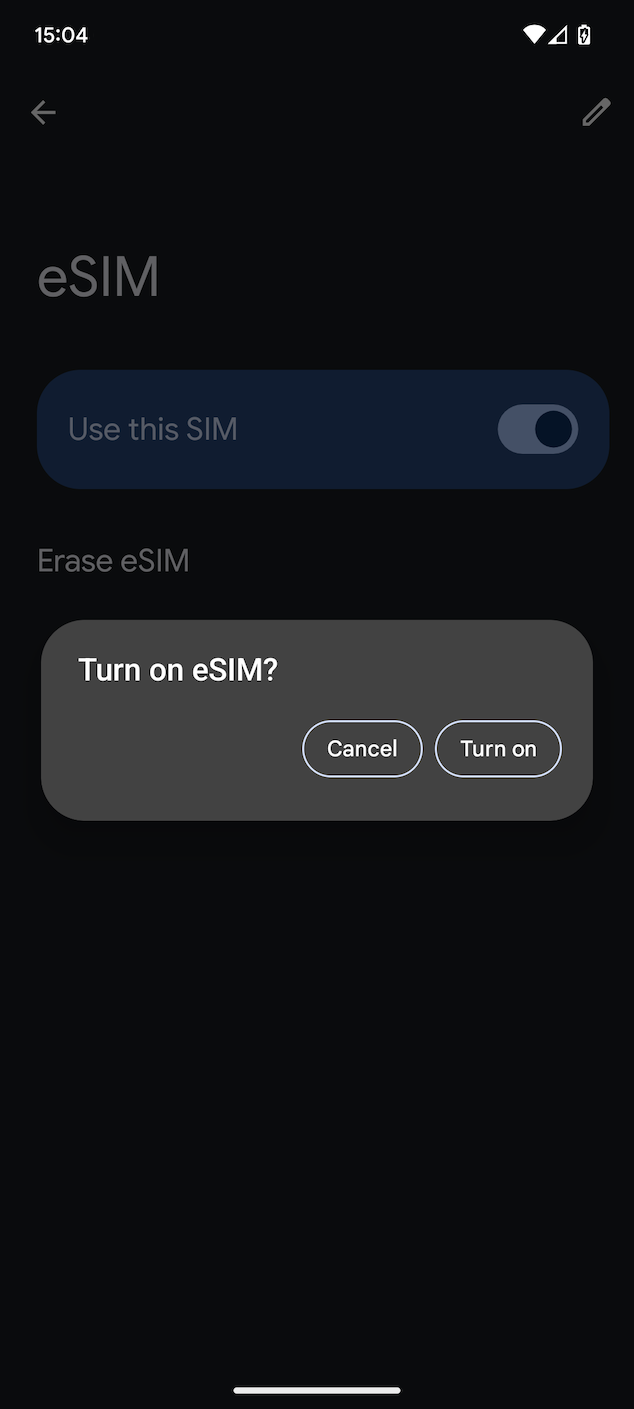
Next, confirm the activation of the eSIM and set it as the default for mobile internet usage.
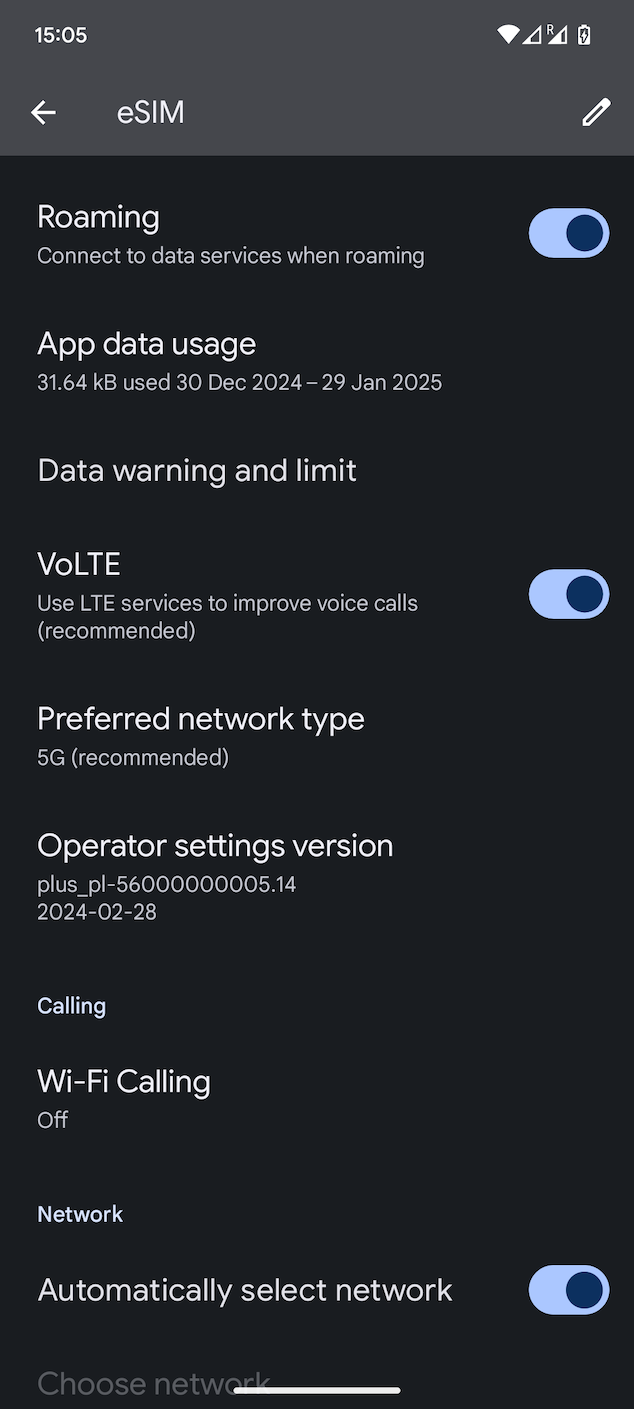
Once completed, the eSIM settings will open.
Make sure the options “Roaming” and “Select Network Automatically” are enabled.
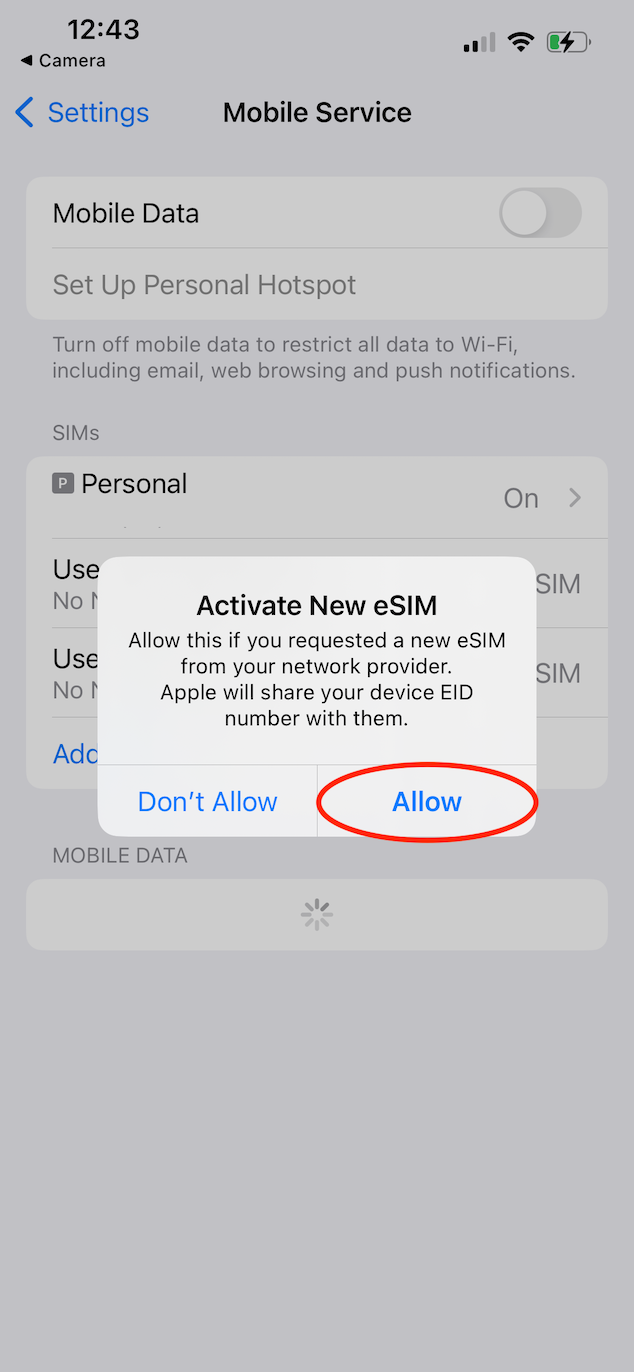
Open the camera on your smartphone or tablet, point it at the QR code, and then tap "Activate New eSIM Card".
In the next step, you need to select the default number for making calls. Choose your personal number (not the eSIM) and tap "Continue".
Select which number will be used for cellular data (mobile internet): your personal number or the additional eSIM. If you’ve already arrived in your destination country, choose the eSIM to start using it, or select automatic mobile data switching. Tap "Done".
Next, select your personal number (not eSIM) as the priority number and tap "Done".
Open Settings - Mobile Service - tap on your eSIM and enable the "Data Roaming" option.
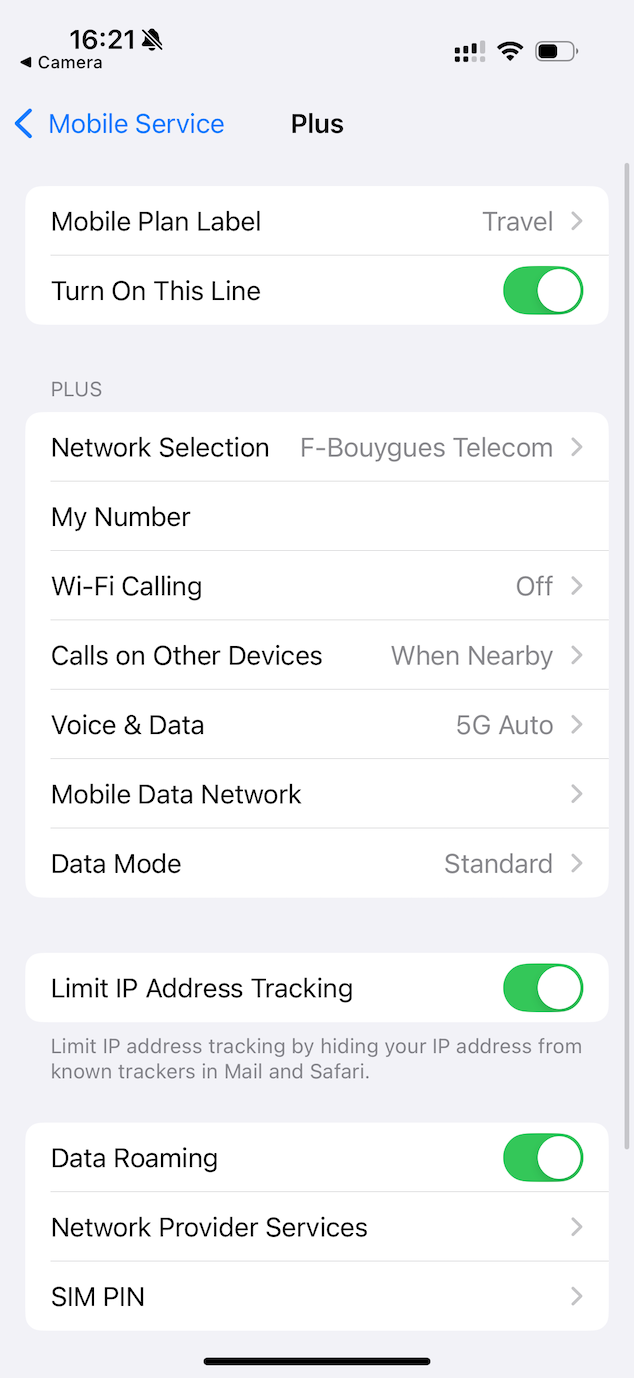
The setup is complete, you are ready for the trip!