 Calls
Calls
 Phone numbers
 SMS
SMS
 Business Phone System
 CRM
CRM
 eSIM for Internet
 AI agent
 AI Speech Analytics
 Click to Call
 Call Tracking
 VoIP for Business
 Become a partner
 Integrations
 For whom
 Setup guides
 FAQ
FAQ
 Online chat
 Contact us
 Blog
Blog
Setup guides / N8N
Integration of the free Zadarma PBX with n8n works without additional modules or intermediaries, ensuring maximum quality and reliability.
Zadarma - n8n integration is completely free.
Integration capabilities
Triggers: Zadarma webhook-notifications
- Watch call started
- Watch call answer
- Watch call end
- Watch missed call
- Watch outgoing call started
- Watch outgoing call answer
- Watch outgoing call ended
- Watch outgoing call missed
- Watch incoming sms
Actions that the Zadarma application performs automatically when a trigger from external systems is activated
- Create Callback
- Create SMS
- Create Customer
- Create Customer feed
- Create Lead
- Create Event
- Get customer id by phone
- Get customer id list by phone
- Get lead id by phone
- Get lead id list by phone
- Update Customer
- Update Event
- Update Lead
In your Zadarma personal account, go to the Settings - Integrations and API section, select n8n and click the Enable button. An API token will be generated for subsequent authorization in n8n. Open n8n in a separate tab and log in.
If you are using n8n Cloud in the web interface, go to Settings -> community nodes and install n8n-nodes-zadarma-app (Installing custom nodes is available only on Pro and Enterprise plans)
If you are running n8n locally, install the custom node in the same directory where n8n itself is installed by running the command:
npm install -g n8n-nodes-zadarma-app
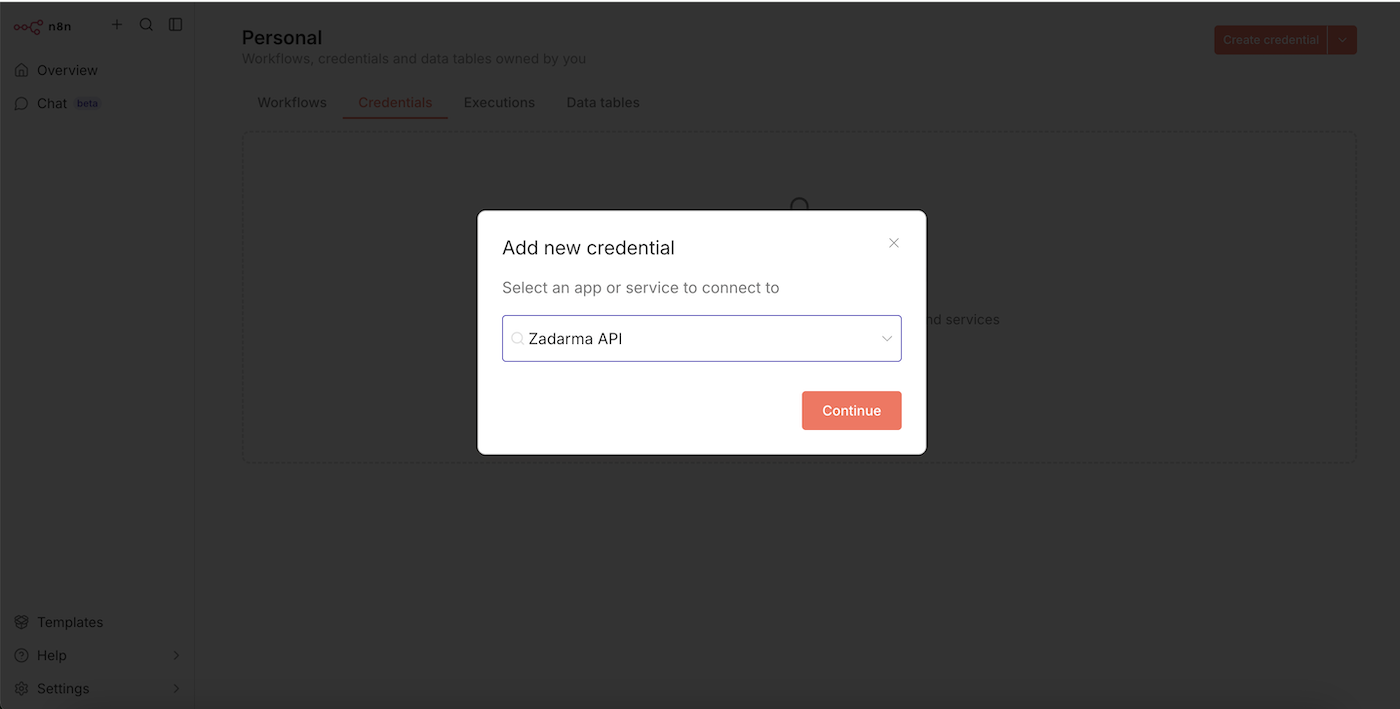
In the Credentials section click the Create credential button and select the Zadarma API application, then click Continue.
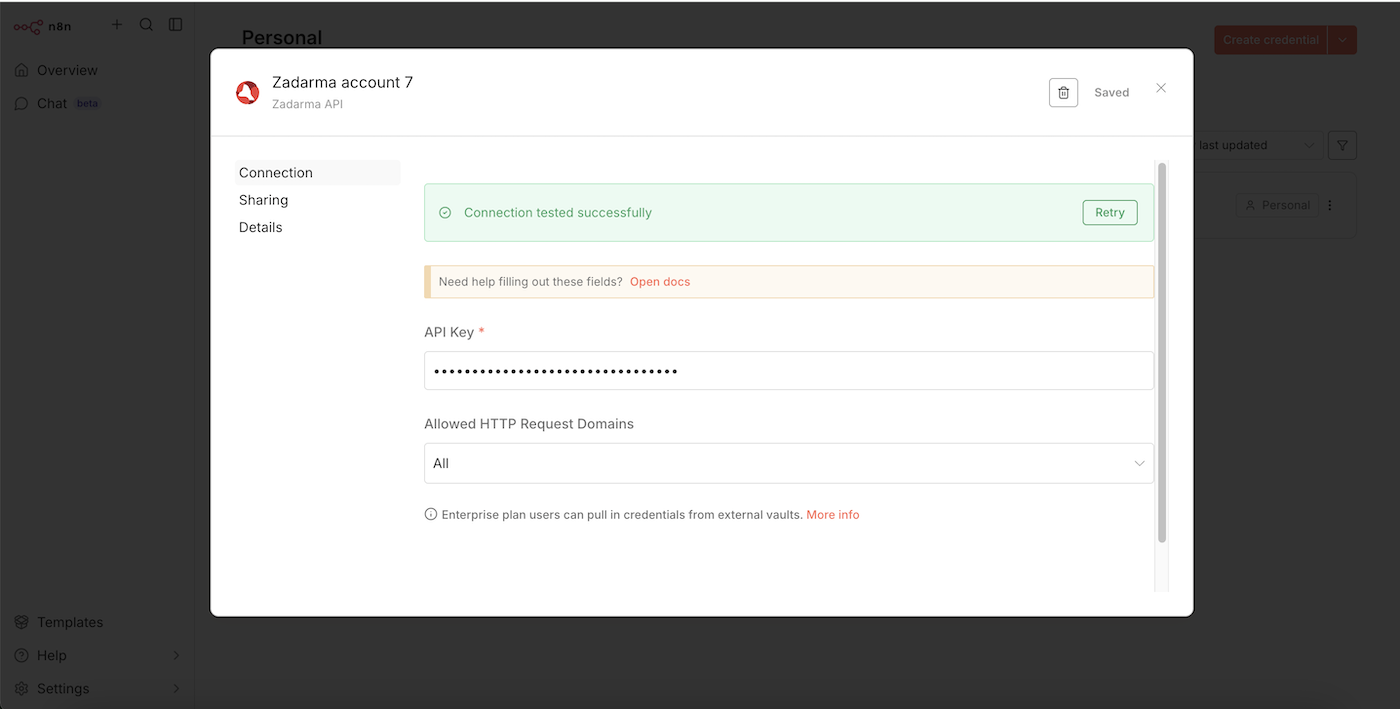
In the next window, in the API Key field, paste the API token from your Zadarma account and click Save.
Examples of use
1. Working with Zadarma webhook notifications ▾
Trigger - webhook Watch missed call (missed call notification), action - saving call information to a Google Sheets table.
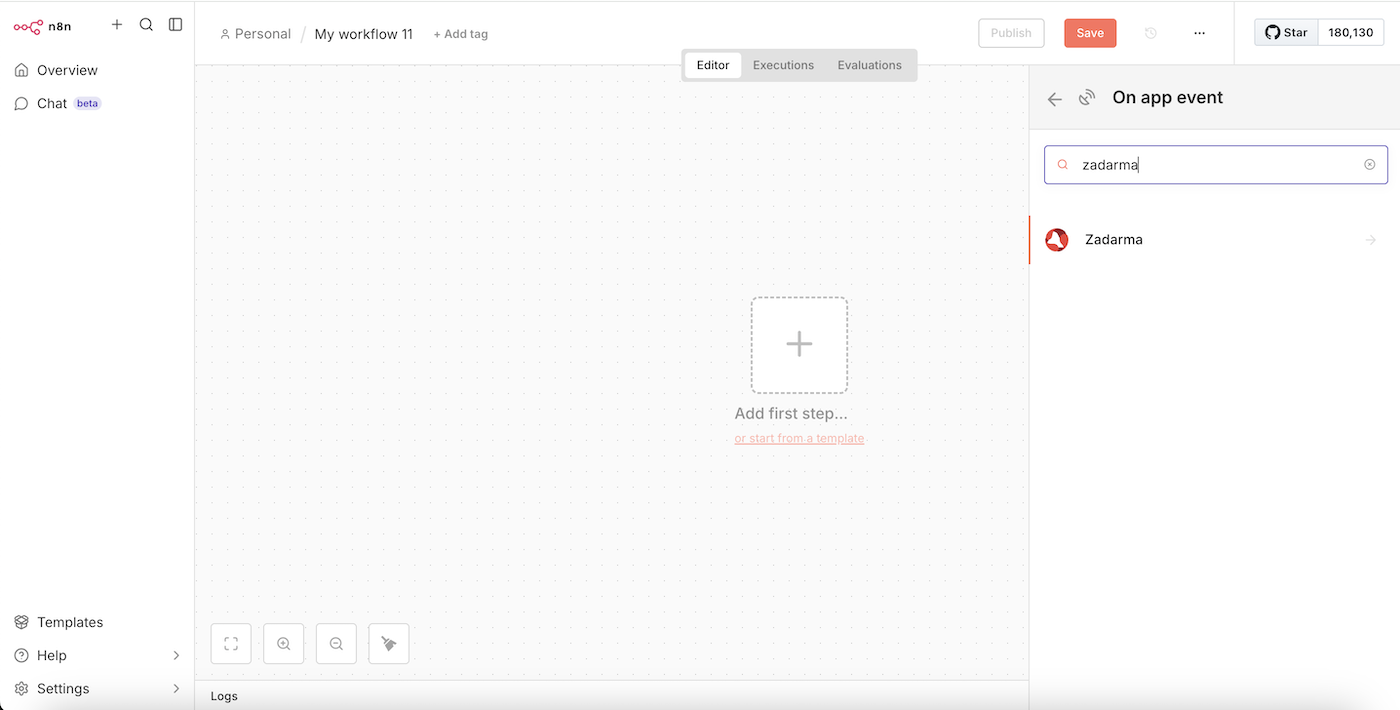
In the Workflows section click the button Create workflow, then Add first step, find and select the Zadarma application. Select the "On new Zadarma event" trigger.
In the next window, in the Webhook field, select the event for the trigger, for example "Notify missed call", then on the left side of the window click Execute step, and then close the window.
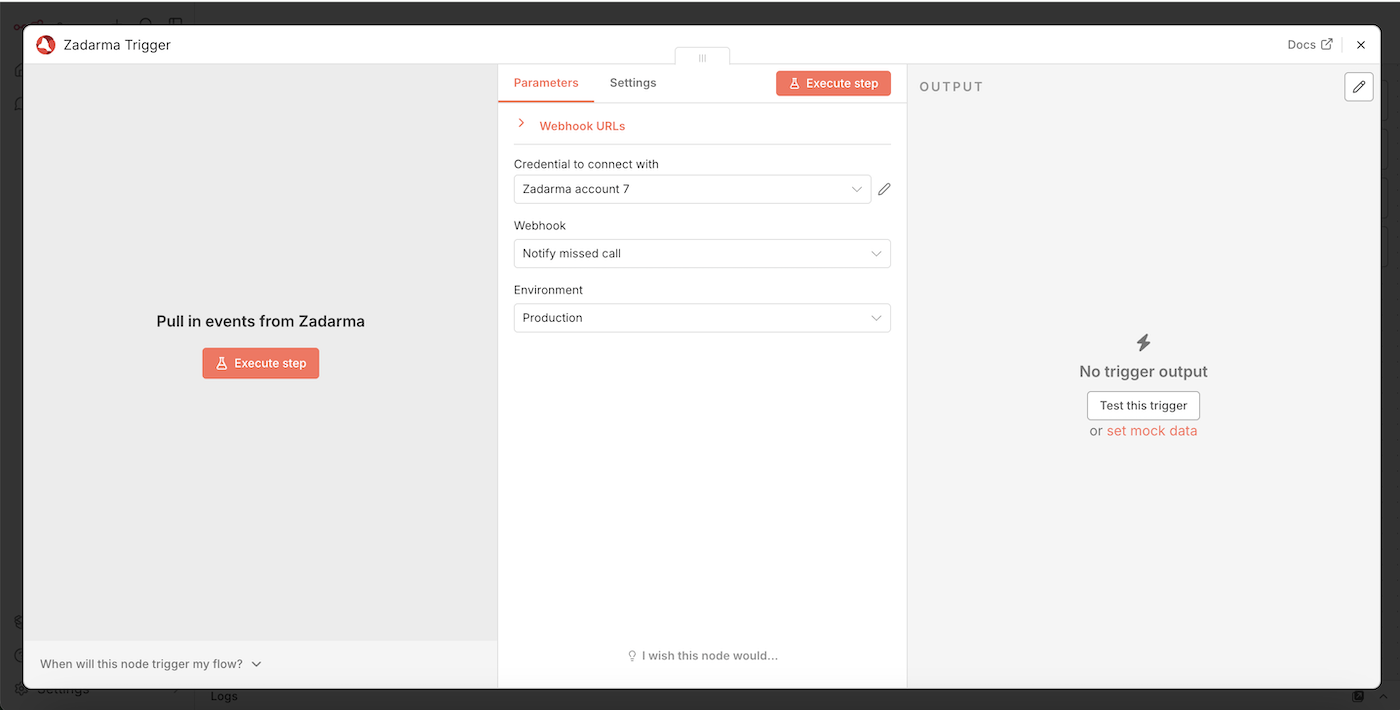
Next, you need to add the following step: click + and find the Google Sheets application, then select the action Append row in sheets.
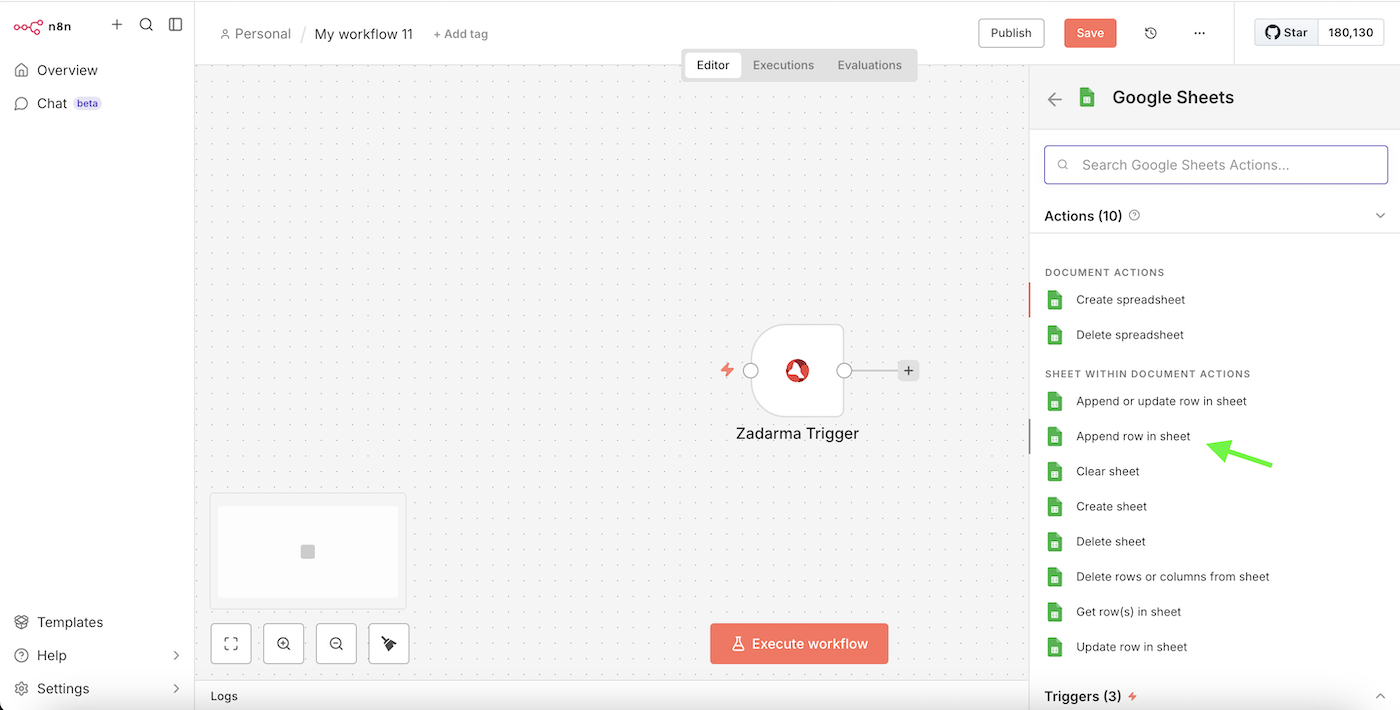
In the Credential to connect with field, select your Credential or authorization in Google Sheets or create a new one. In the Document field, select your Google Sheets file where the information will be added, and in the Sheet field, choose the specific sheet where the data will be inserted.
On the left side of the window, the parameters from the Zadarma Trigger are displayed. Drag them into the corresponding fields in the "Values to Send" list. These are the parameters that will be passed from the Zadarma Trigger to your Google Sheets table.
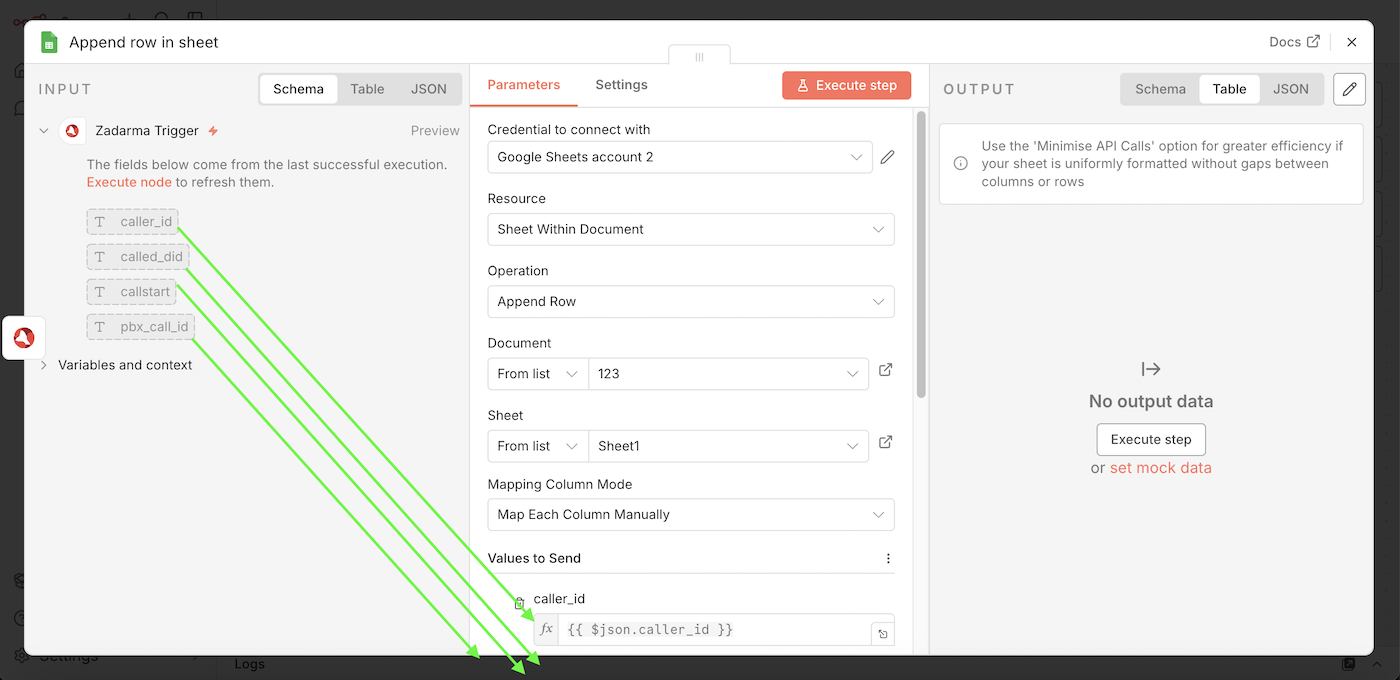
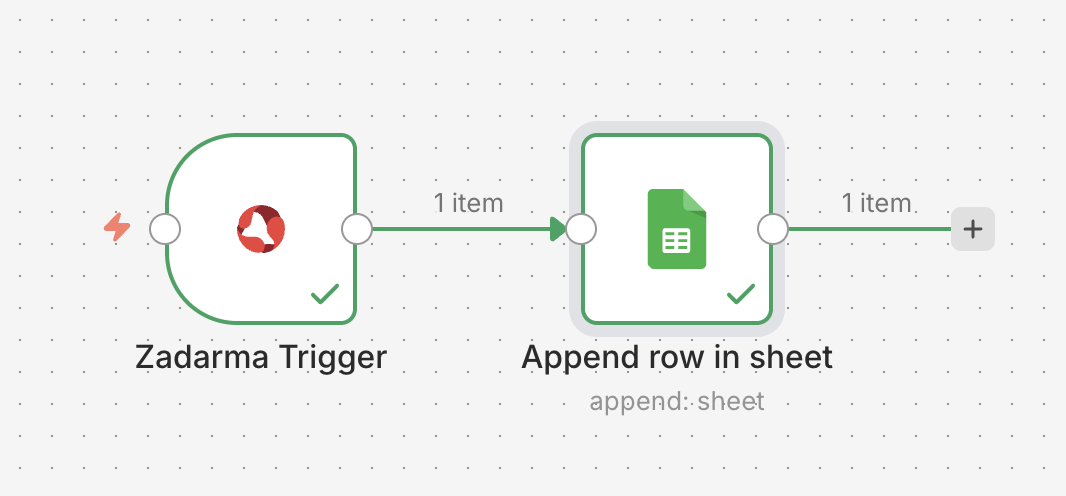
Close the window. The setup is complete, and your Workflow is ready to run and publish. Now, when a "Notify missed call" event is received, the call information will be sent to Google Sheets.
2. Creating a lead in Teamsale CRM based on a third-party webhook▾
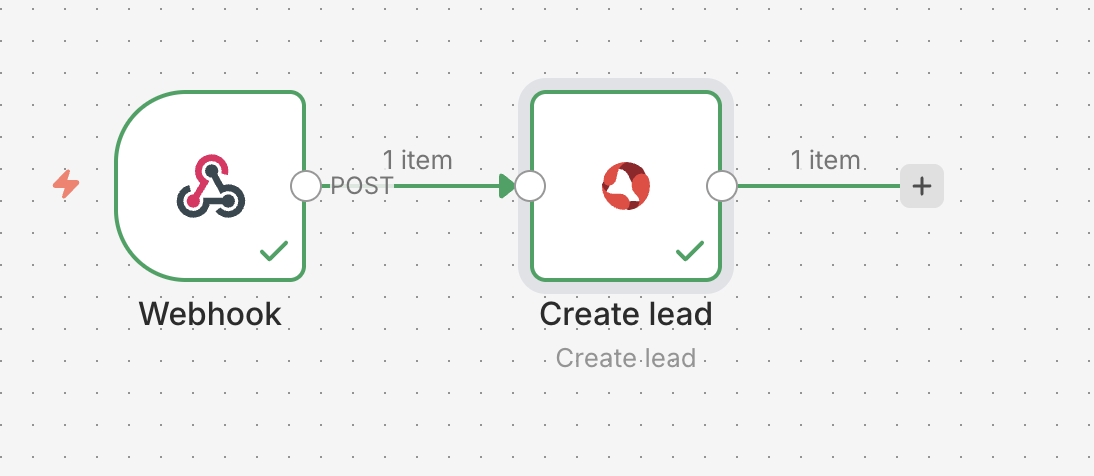
Trigger - receiving a third-party webhook, action - creating a lead in Teamsale CRM.
In the Workflows section, click the Create workflow button, then Add first step. Find and select the Webhook node.
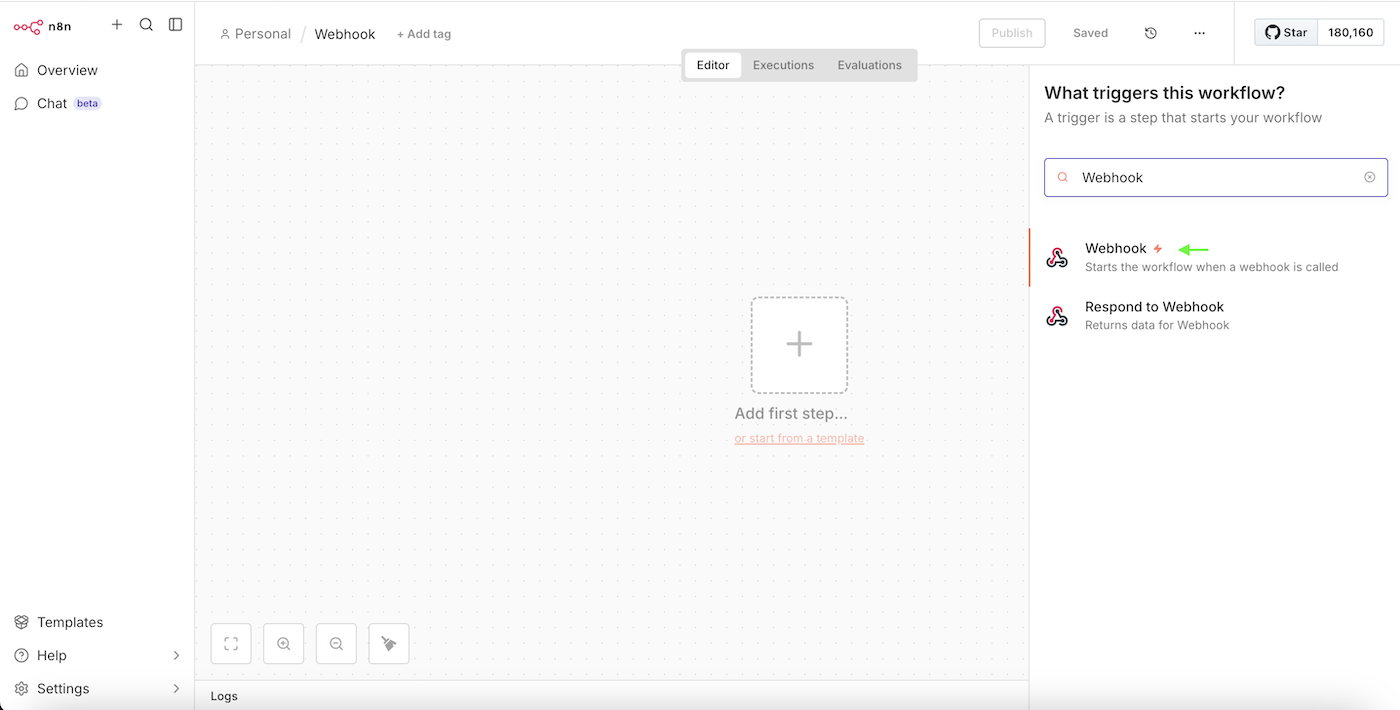
Select the type of Webhook URL: Test URL or Production URL. In the HTTP Method field, select the POST request type.
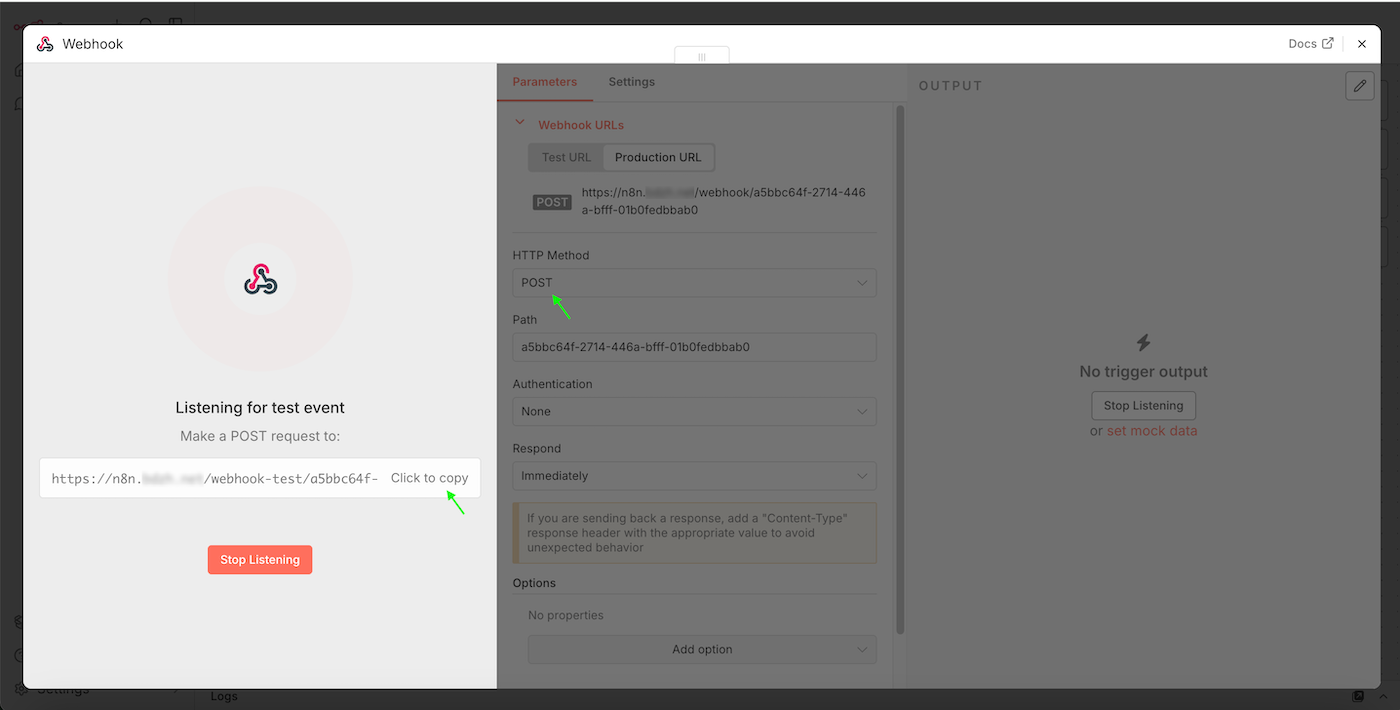
Click Listen for event and copy the URL to which the Webhooks will be sent. After that, you need to receive a test Webhook so that the trigger can obtain a list of parameters for further use. For testing, we can send a POST request to our Webhook, for example, using a bash script:
curl -X POST https://n8n.yourdomain.com/webhook-test/a5bbc64f-2714-446a-bfff-01b0fedbxab0 \
  -H "Content-Type: application/json" \
  -d '{"name": "Lead from webhook", "phone": "+44201234567"}'
- https://n8n.yourdomain.com/webhook-test/a5bbc64f-2714-446a-bfff-01b0fedbxab0 - the URL of your webhook in n8n.
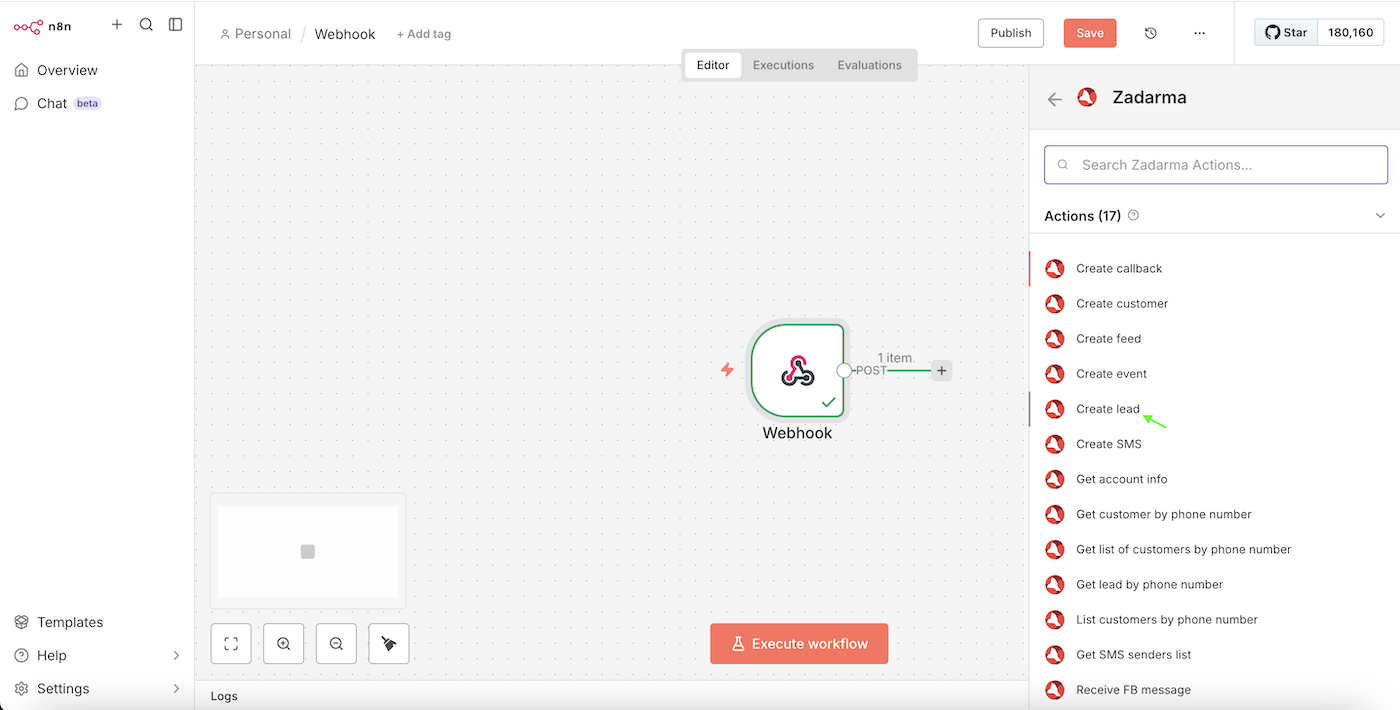
Next, add a second step to your Workflow. In the search, find Zadarma and select the Create lead action.
On the left side of the window, the structure of the test Webhook notification received in the previous step will be displayed. Drag the required parameters into the corresponding fields of the new lead. In our example, two parameters were received Name and Phone, and they will be passed to the new lead respectively. You may have any other parameters.
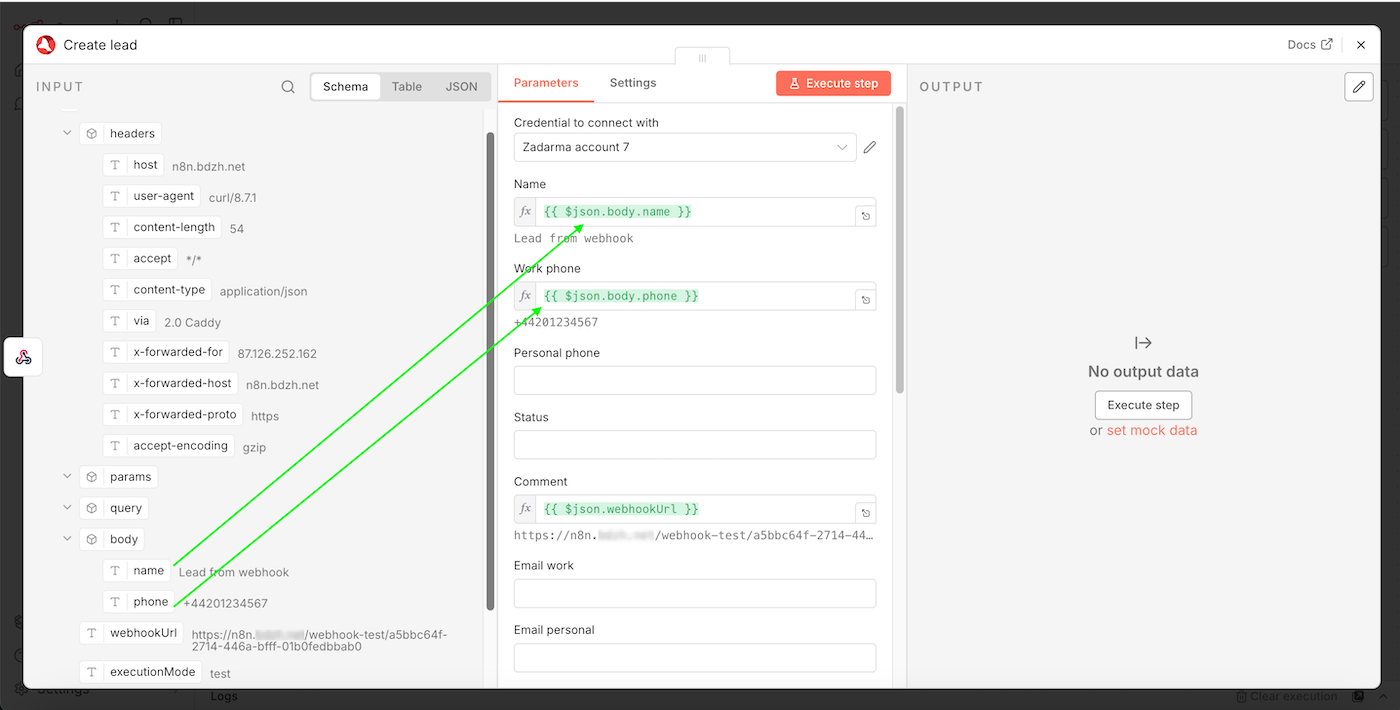
Close the window. The setup is complete, and your Workflow is ready to run and publish. Now, when a Webhook is received at your URL, a new lead will be created in Teamsale CRM.
3. Sending SMS from n8n ▾
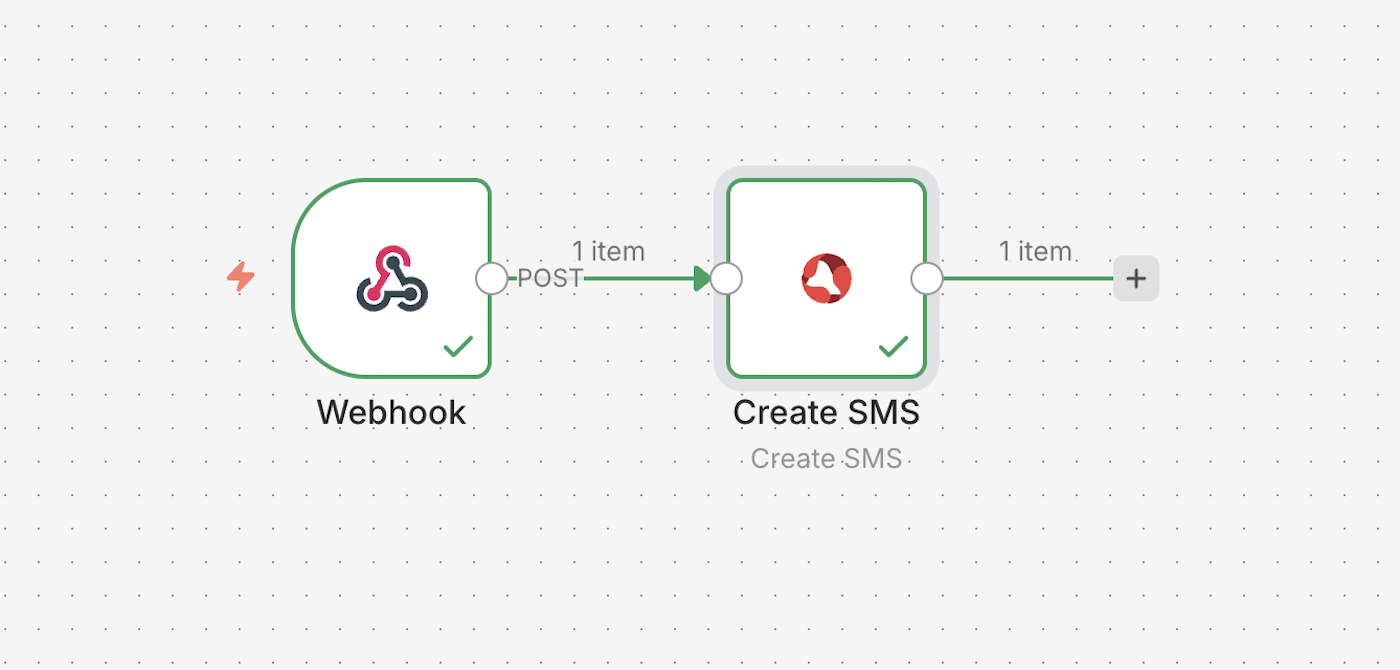
Trigger - receiving a third-party Webhook, action - sending an SMS.
In the Workflows section, click the Create workflow button, then Add first step find and select the Webhook node.
Select the type of Webhook URL: Test URL or Production URL. In the HTTP Method field, choose the POST request type.
Click Listen for event and copy the URL to which the Webhooks will be sent. After that, you need to receive a test Webhook so that the trigger can obtain a list of parameters for further use. For testing, we can send a POST request to our Webhook, for example using a bash script:
curl -X POST https://n8n.yourdomain.com/webhook-test/a5bbc64f-2714-446a-bfff-01b0fedbxab0 \
  -H "Content-Type: application/json" \
  -d '{"text": "Wake up, Neo...", "phone": "+44201234567"}'
- https://n8n.yourdomain.com/webhook-test/a5bbc64f-2714-446a-bfff-01b0fedbxab0 - The URL of your webhook in n8n.
Next, add a second step to your Workflow. In the search, find Zadarma and select the Create SMS action.
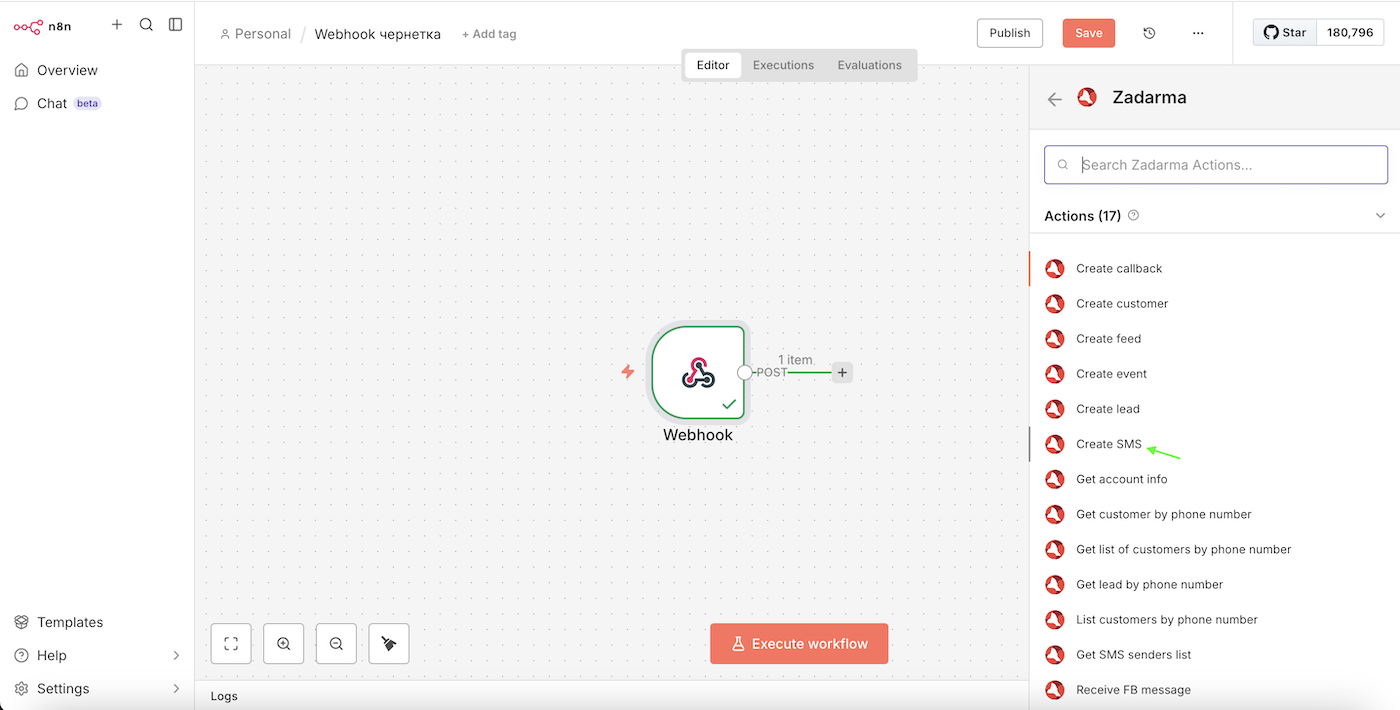
On the left side of the window, the structure of the test Webhook notification received in the previous step will be displayed. Drag the required parameters into the corresponding fields for sending the SMS. In our example, two parameters were received, Text and Phone, which will be used as the SMS text and the recipient’s phone number respectively. You may have any other parameters.
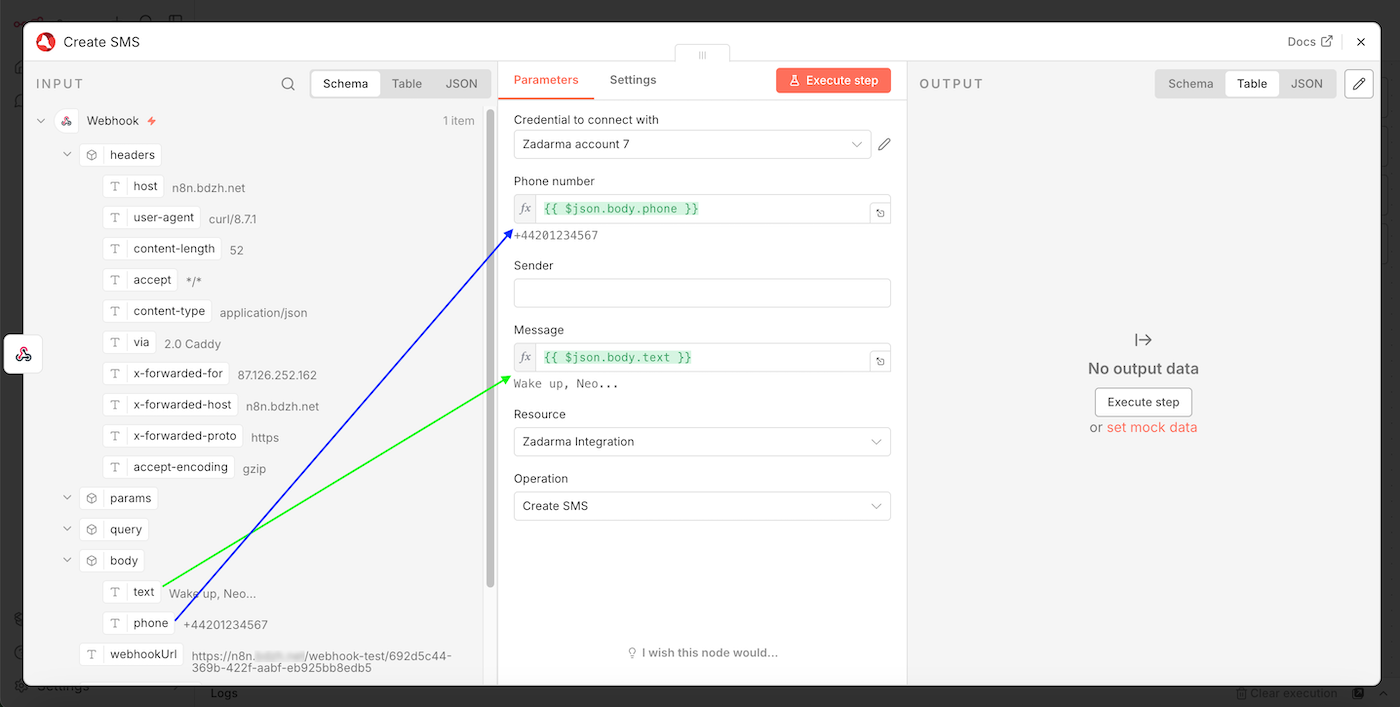
Close the window. The setup is complete. Your Workflow is ready to run and publish. Now, when a Webhook is received at your URL, an SMS message will be sent.