
 Calls
 Phone numbers
 SMS
 Business Phone System
 CRM
 AI agent
 Call Tracking
 eSIM for Internet
 AI Speech Analytics
 Click to Call
 Price plans
 VoIP for Business
 Become a partner
 Integrations
 For whom
 Setup guides
 FAQ
 API Documentation
 Contact us
 Blog
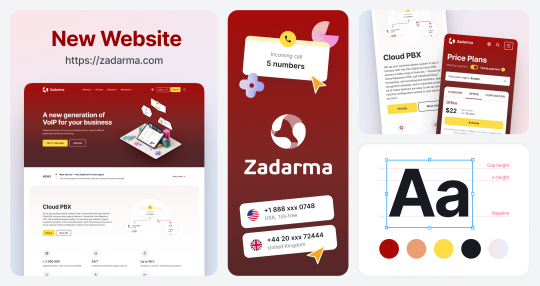
Zadarma's new website design
The Zadarma website has a new design. Phone numbers, cloud PBX, AI agents and Teamsale CRM – explore what the service has to offer in a whole new way.
We've refreshed the design to make it easier for you to find the right solutions and explore the service's features. Product information is now clearer, and you can also switch language or currency from the site header on any page.
All features and plans stay exactly where they were. Connecting services, topping up your balance and managing your account all work just as before.
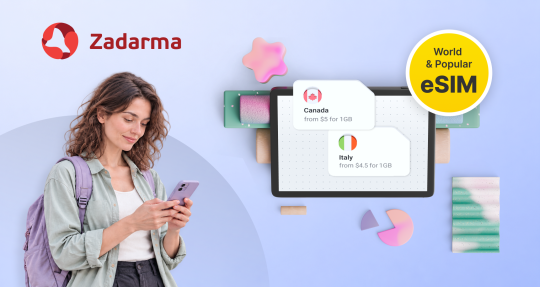
Expanded eSIM coverage and new pricing terms for calls to the USA
Mobile data with the "World" eSIM plan is now available in 177 countries and territories, with 18 new destinations added. The "Popular" plan now covers 9 more countries.
From 10 November, billing for VoIP calls to the USA will change due to the terms set by local operators. Minimum 12 seconds per call, then billed in 1-second. The price per minute stays the same.
Users of the Office and Corporation plans with unlimited minutes for the USA will not be affected by the new billing terms.
400 Prefix: Get ready for the new regulation
At Zadarma, we are announcing the launch of new numbers with the 400 prefix, the official numbering range reserved for commercial calls and sales campaigns in Spain.
From October 2026, companies covered by Law 10/2025 on customer service will only be able to make commercial calls from 400 numbers, as set out in the resolution of the Secretary of State for Telecommunications published in the Official State Gazette (BOE). Because these numbers are outbound-only, consumers will instantly recognise the call as commercial. This makes communication more transparent: the customers who answer are the ones ready to hear your offer.
Get ahead of the regulation and make sure your campaigns comply with the law. You can activate your 400 number in just a few minutes and easily integrate it with our virtual PBX and your CRM, so your sales never stop.

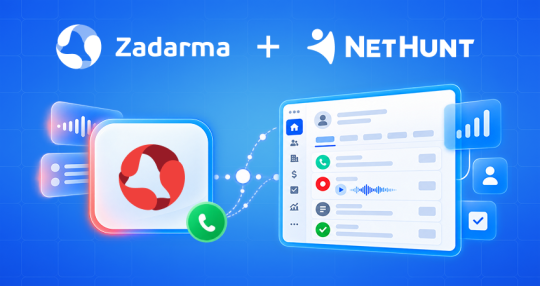
Zadarma and NetHunt CRM Integration
Zadarma can now be connected to NetHunt CRM. The integration is free and takes just a couple of minutes to set up.
All calls are displayed directly in the contact card: the date, duration, status, and call recording. No need to search for anything.
Received a call from an unknown number? The CRM will automatically create a new contact.
You can also make calls directly from the CRM. Simply click the phone number in the contact card.
With Workflows, you can also set up more advanced scenarios, such as sending emails, creating tasks, and triggering other actions after a call.
For detailed setup instructions, see the guide.
Zadarma and n8n: set up telephony without code
The official Zadarma node is now available in n8n for integrating Zadarma PBX and Teamsale CRM with other services.
With the integration, you can create automated workflows based on telephony events such as missed calls, incoming SMS messages, call start or end events, and more. Response actions include creating a lead in Teamsale CRM, sending an SMS, saving data to Google Sheets, triggering a callback, and more.
In addition to telephony and CRM, the integration also allows you to connect other services, for example, Google Calendar for automatic meeting creation, Google Sheets for data storage, Google Drive, Google Docs, and many more. n8n offers more than 1000 nodes for integrating with various services and building your own automation workflows.
Setup takes just a few minutes: simply activate the integration in your account, copy the API token, and add it to the Credentials section in n8n. A detailed guide with ready-to-use workflow examples is available via the link below.
Learn more about the Zadarma and n8n integration.


